
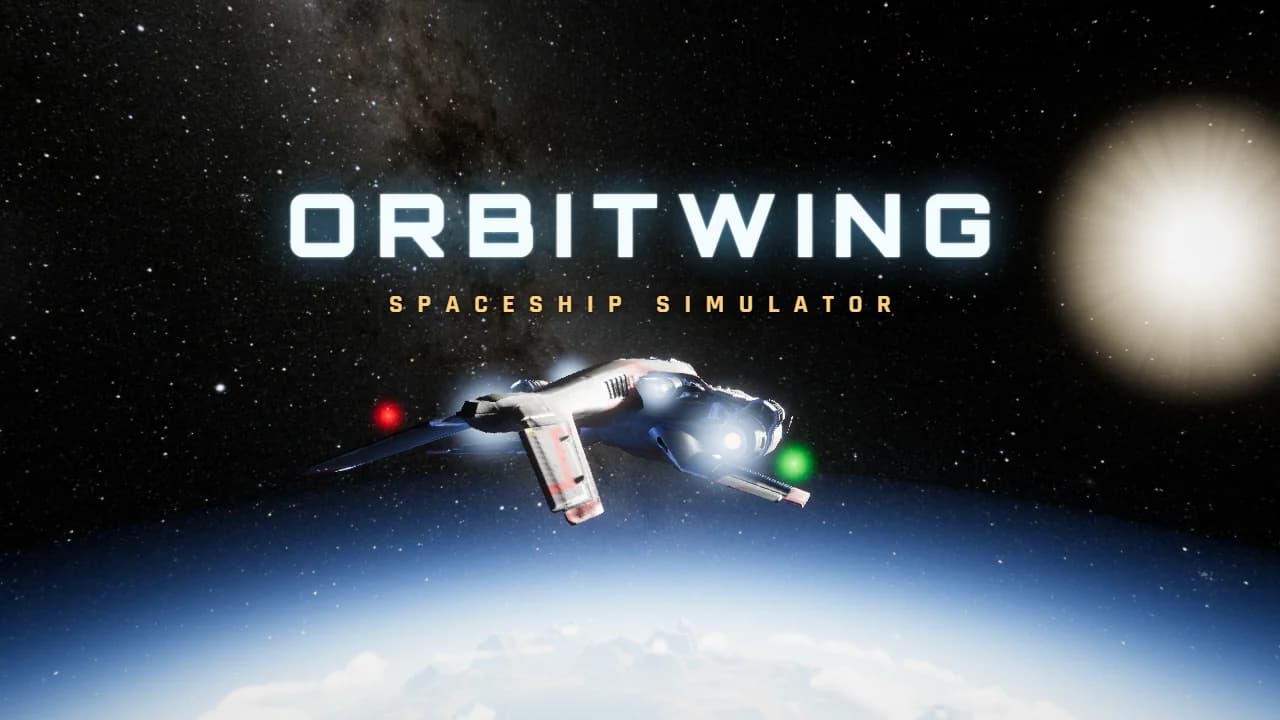
About Orbitwing
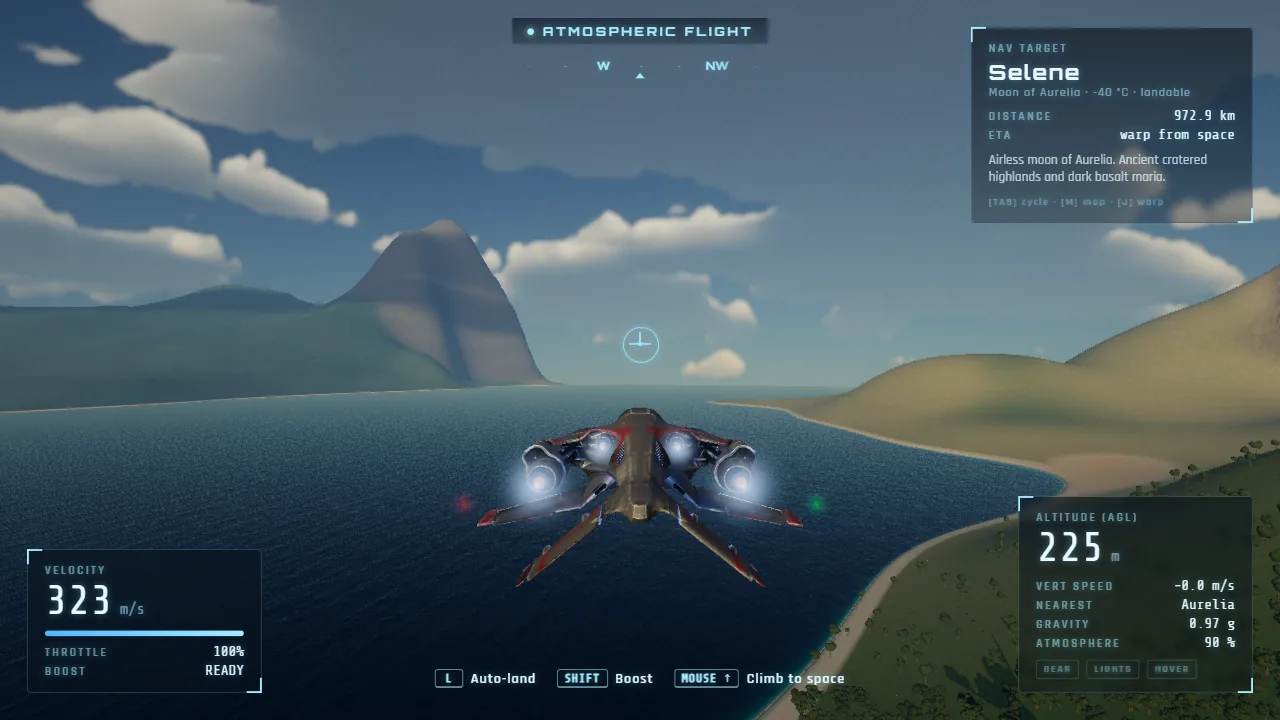
Orbitwing is a free spaceship simulator you can play online, right in your browser. You start on the ground: your starfighter stands on its landing legs in a sunny meadow on Aurelia, an ocean world of beaches, forests and snowy peaks. Press Space and the lift jets carry you up over the treetops. Throttle up and you skim out over a bright blue bay, then pull the nose up and climb through the clouds until the sky turns black and the whole planet curves away below you. It is one smooth flight from the grass to orbit, with no loading screens.
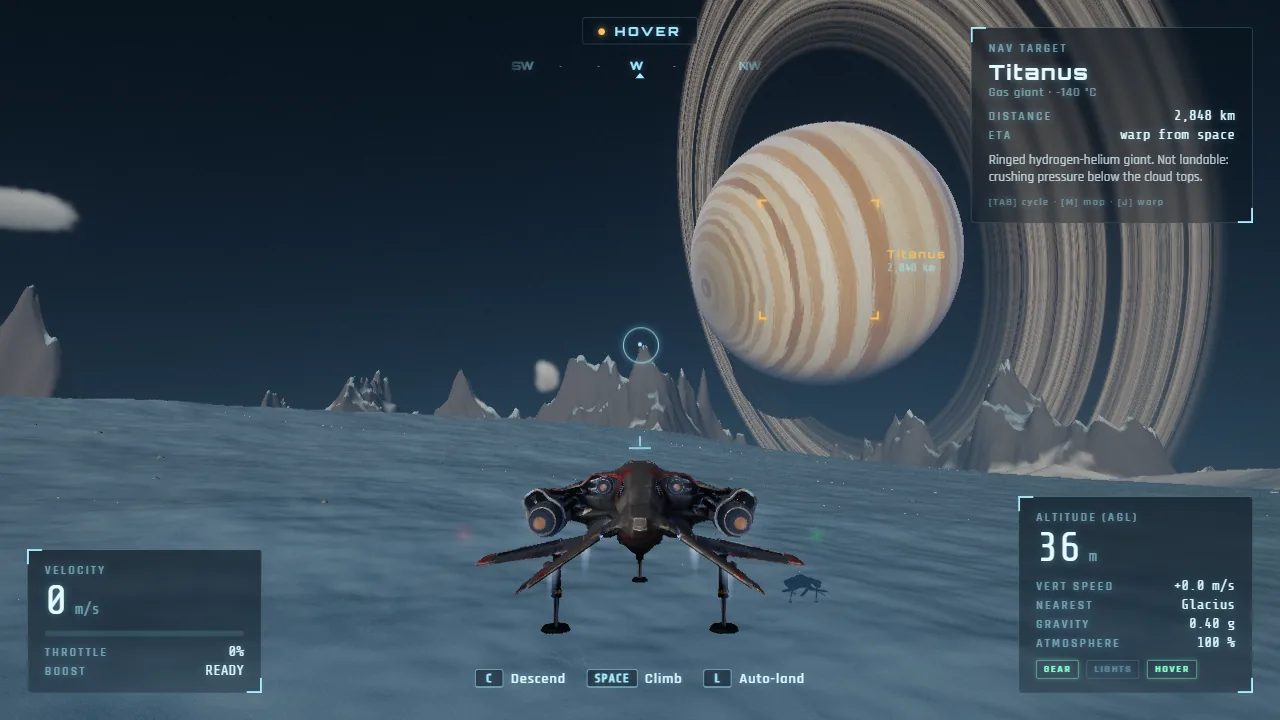
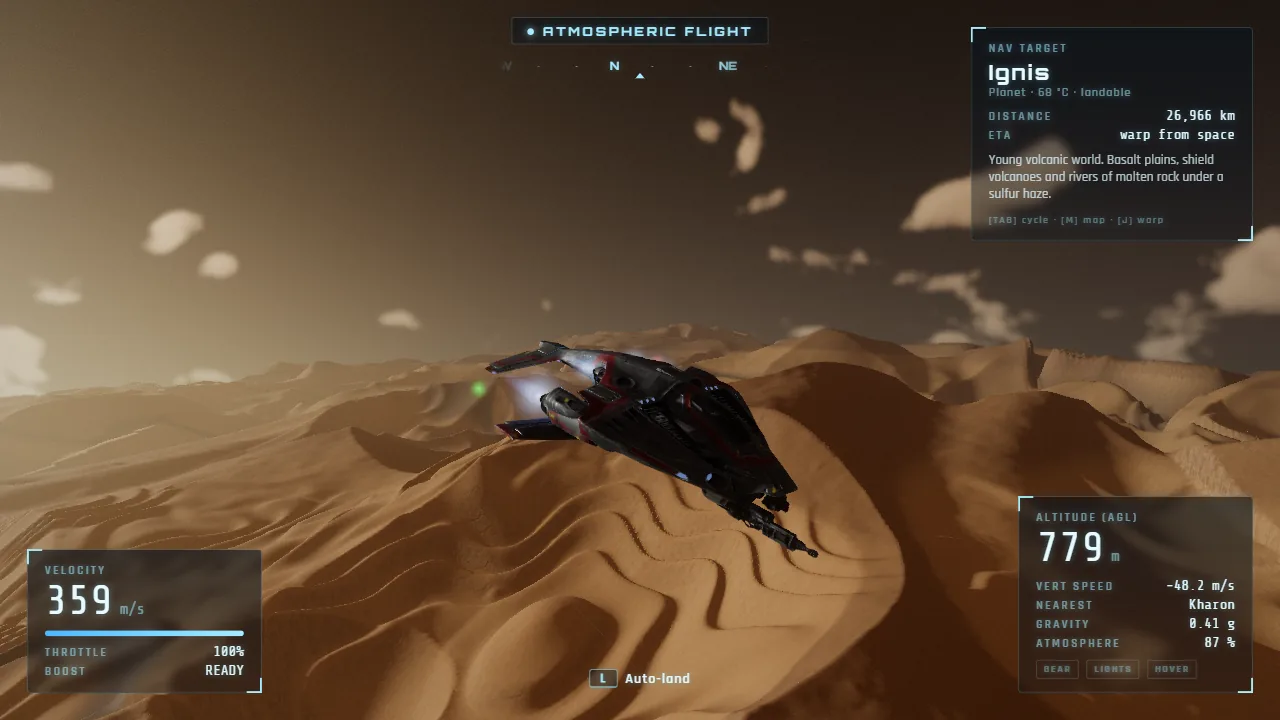
Up in space, pick a destination and fire the warp drive. The Helios star system has five worlds to land on, and each one feels different. Selene is a grey, cratered moon where Aurelia hangs in a black sky. Kharon is a red desert world of mesas, canyons and endless dunes under a dusty sky. Ignis is a young volcanic world with rivers of glowing lava. Glacius is a frozen moon of glaciers and crevasses under the enormous rings of Titanus, a striped gas giant you can fly around but never land on.
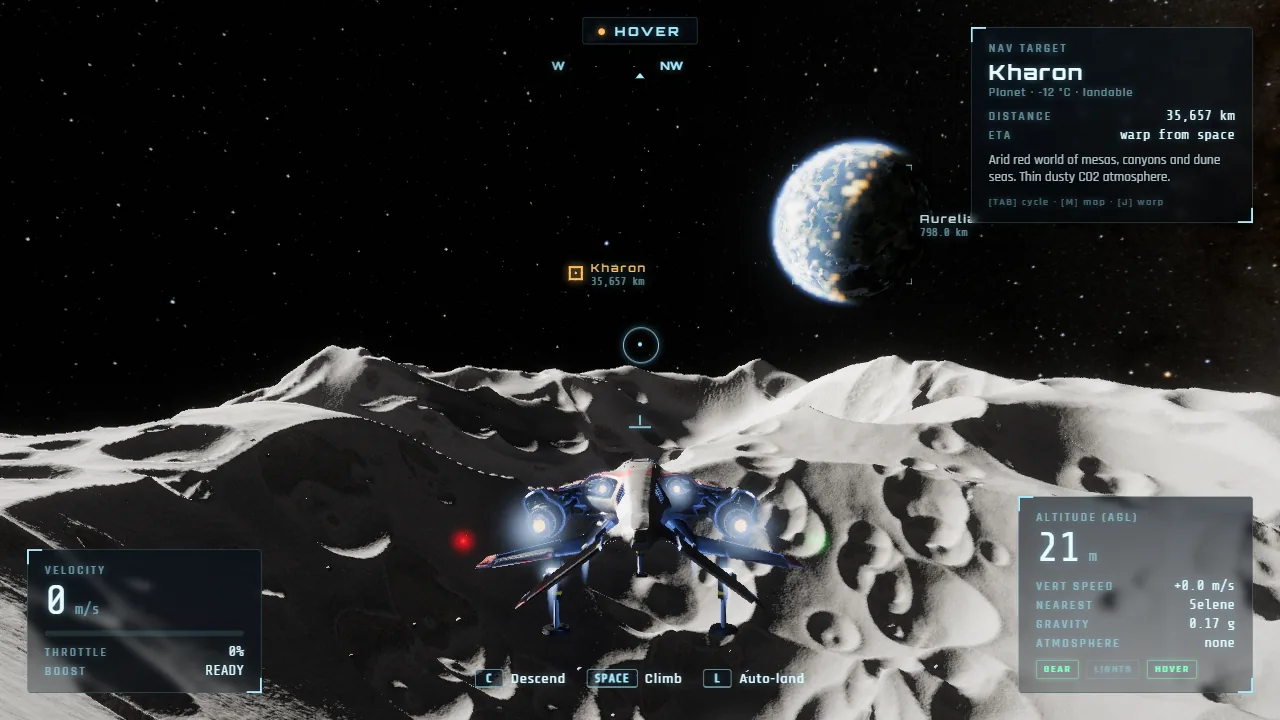
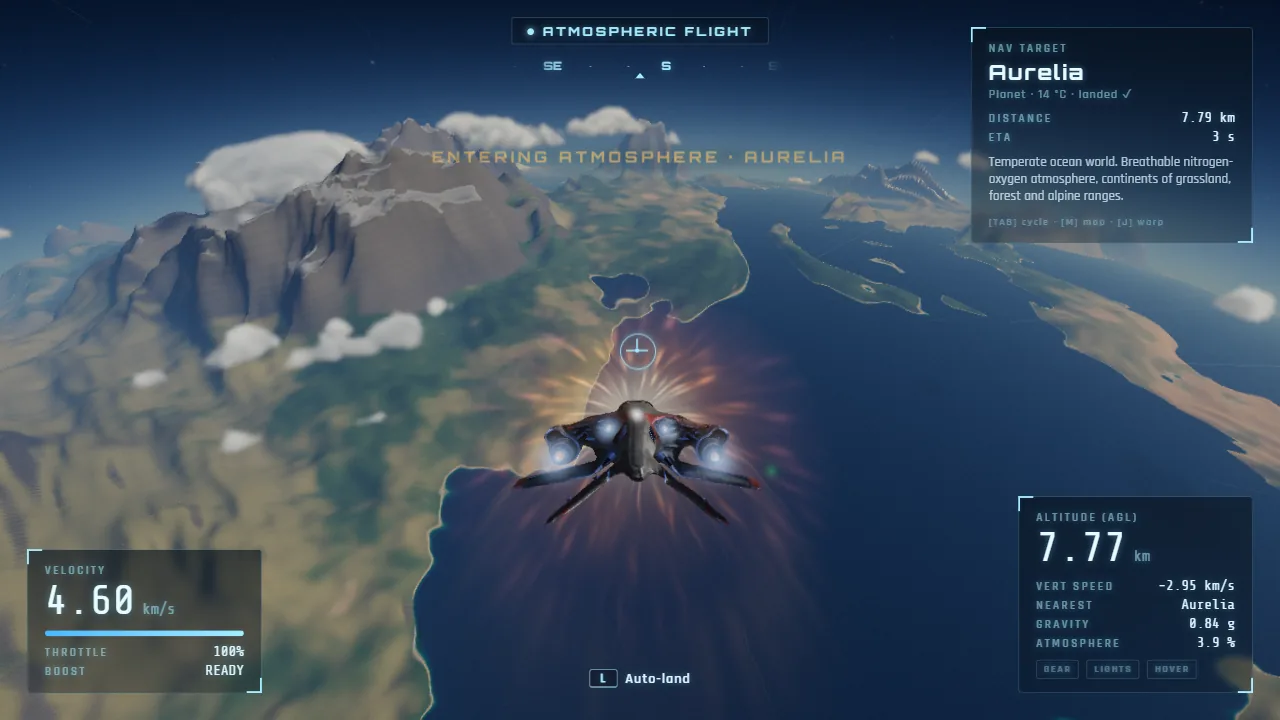
Landing is half the fun. Slow down near the ground and the ship switches to hover, so you can drift down onto a beach or a crater rim yourself, or press L and let the auto-land find flat ground and set you down gently. Dive in too fast from orbit and the re-entry heat builds into a glowing plasma shield around the nose. Every first landing counts toward exploring the whole system, and your landings are saved in your browser.
Orbitwing is a 3D space game made for computers, and it looks its best in fullscreen. The planets are generated as you fly, with real atmospheres that paint the sunrises and sunsets, oceans that sparkle in the sun, clouds you can fly straight through, and forests and grass that bend in your engine wash. The stars in the sky come from real maps of the Milky Way. It is a calm space sandbox, with no enemies and no timers: just you, your ship and a star system to explore. If you like games like No Man's Sky and want a free one that starts in a browser tab, Orbitwing is for you.
Screenshots
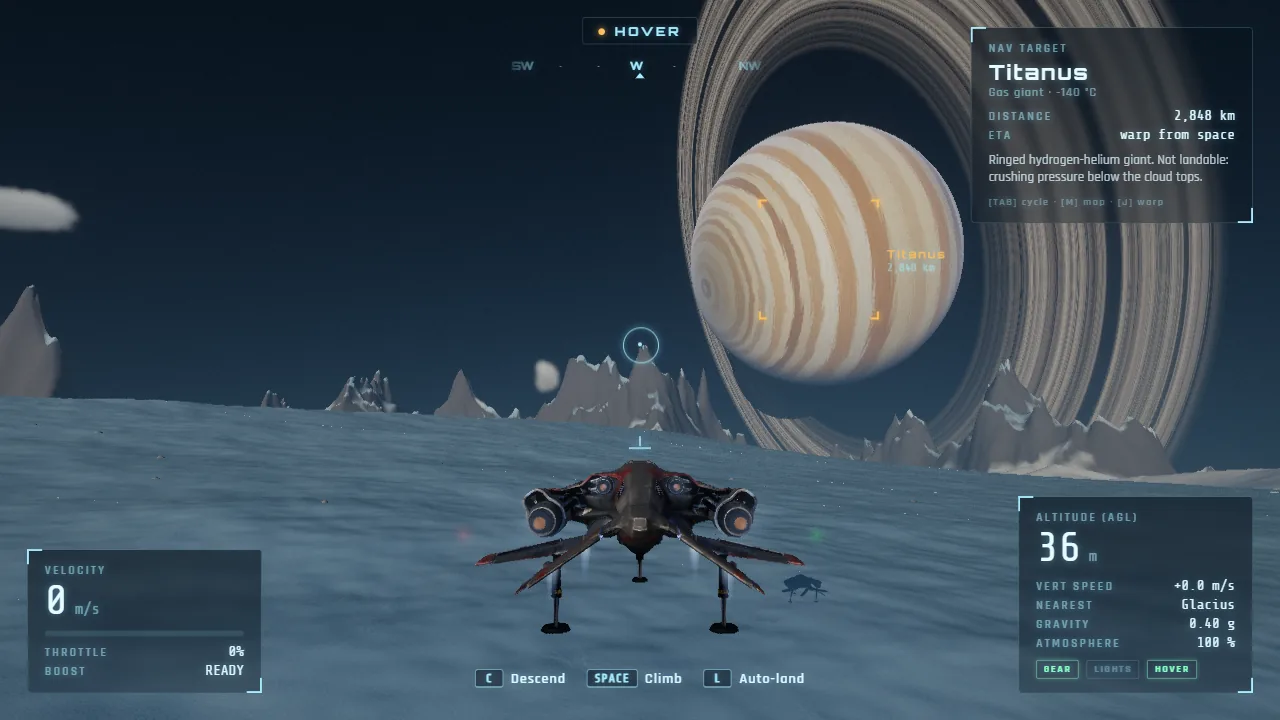
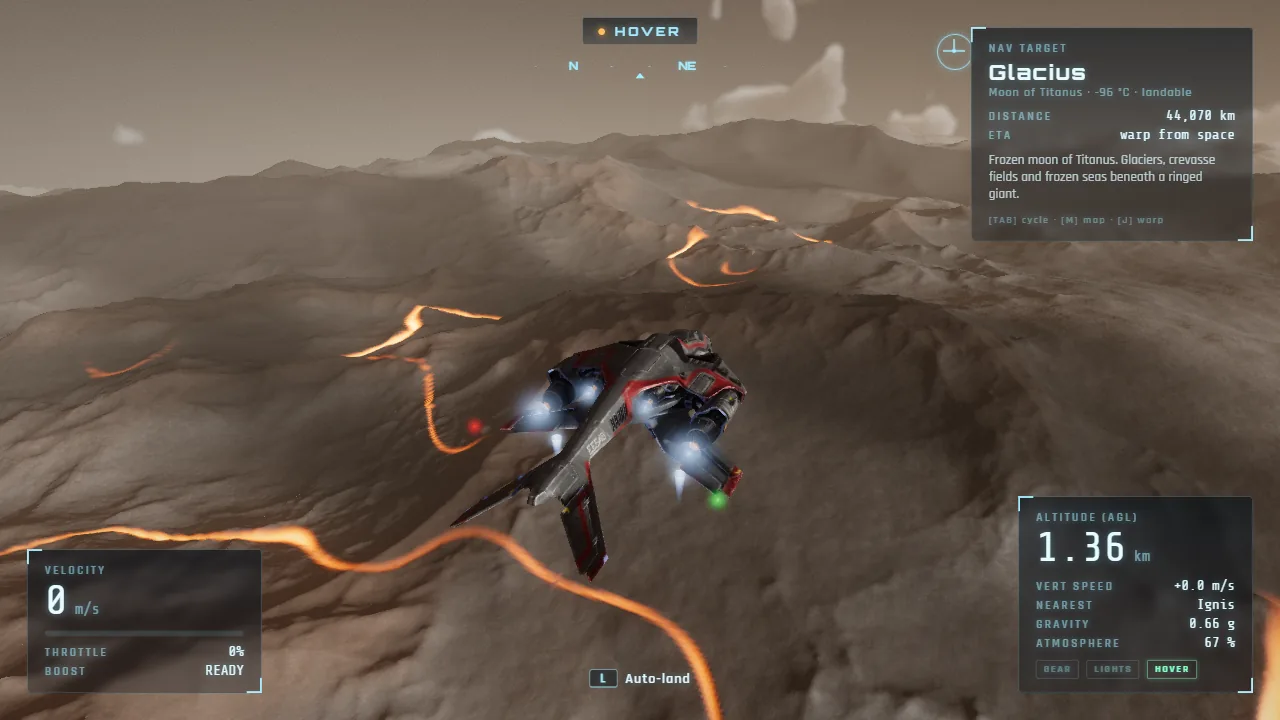
A starfighter hovers over the frozen moon Glacius under Titanus, a giant ringed planet, in the free spaceship simulator Orbitwing 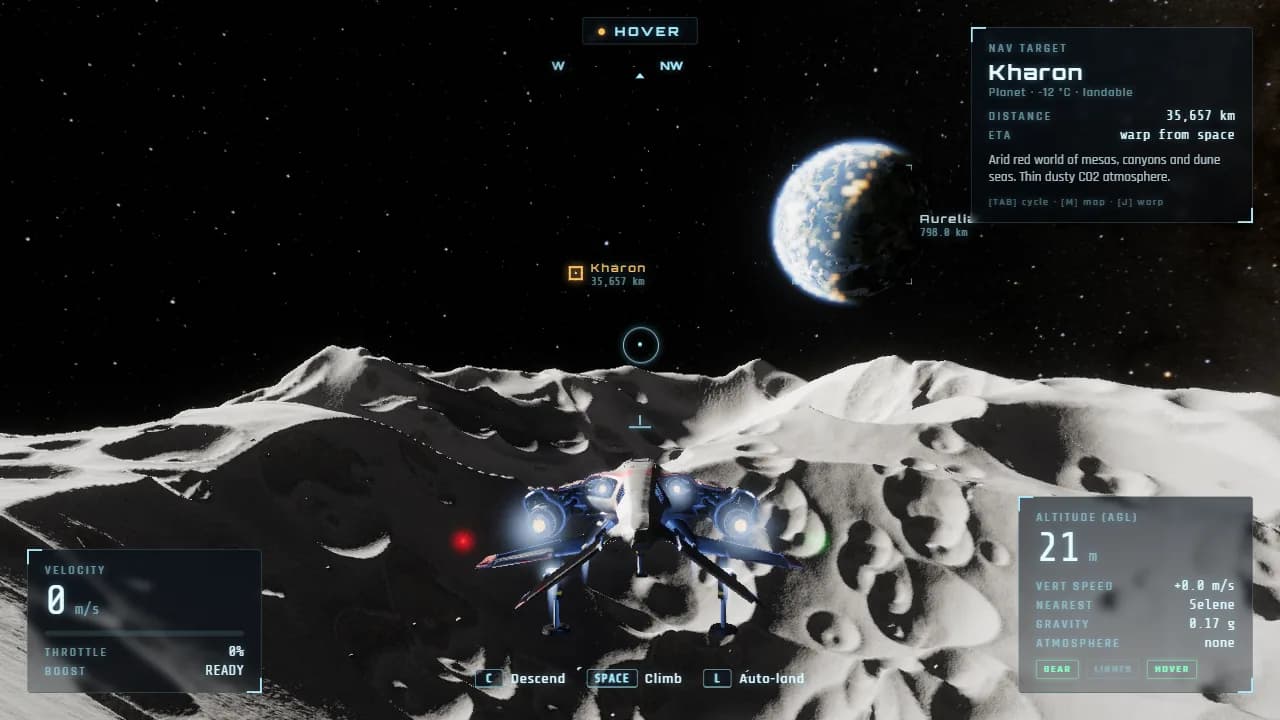
Hovering over the craters of Selene with the blue ocean world Aurelia in the black sky 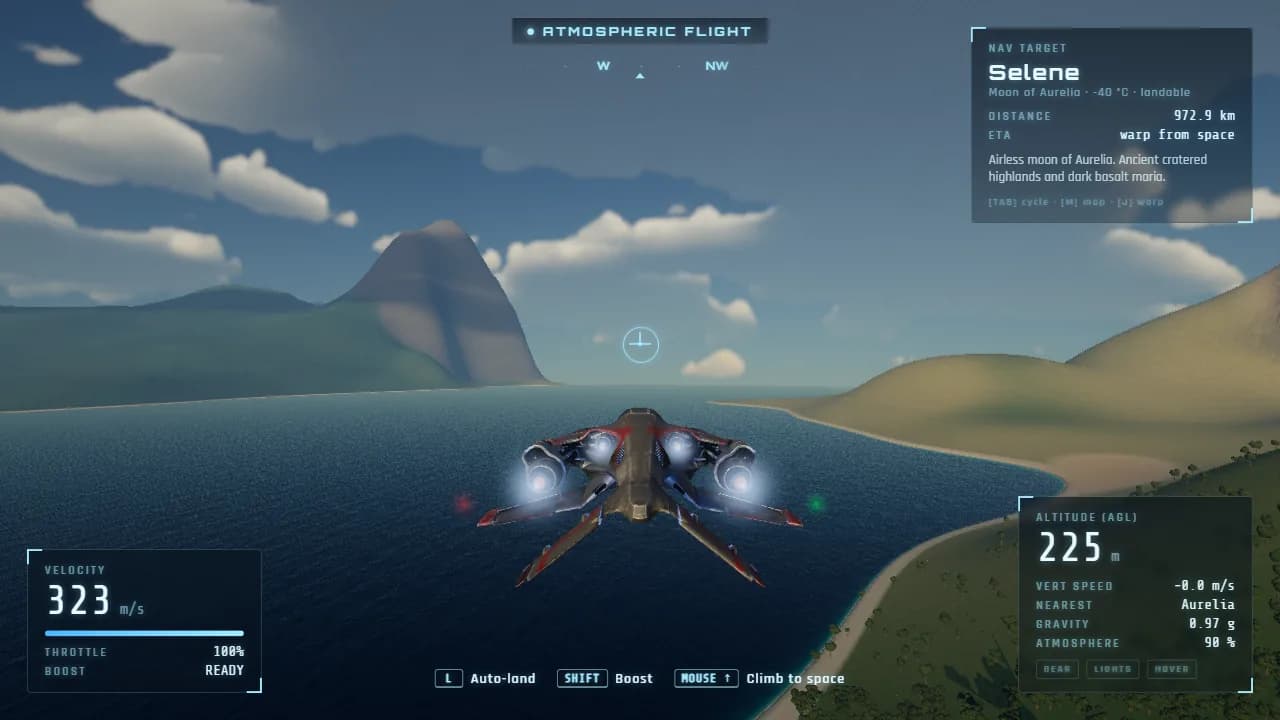
The first flight: skimming out over a blue bay past a mountain on the ocean world Aurelia 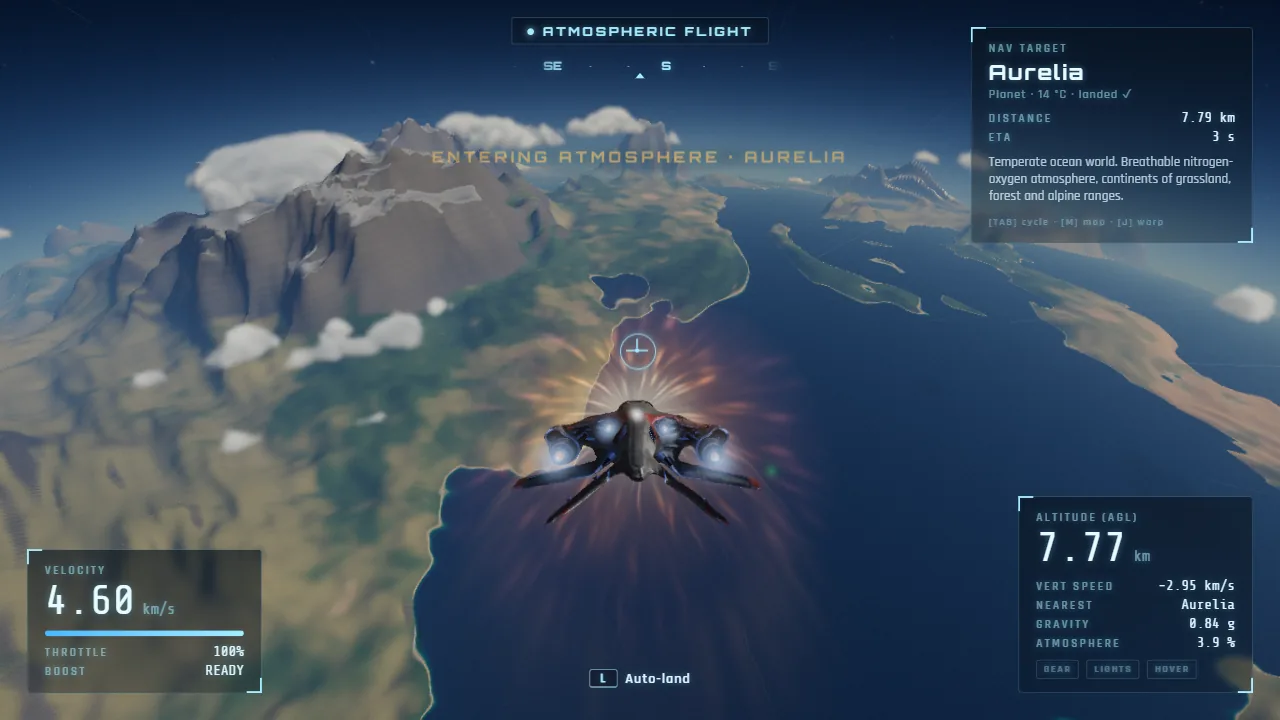
Diving into Aurelia's atmosphere from space as re-entry plasma glows around the ship 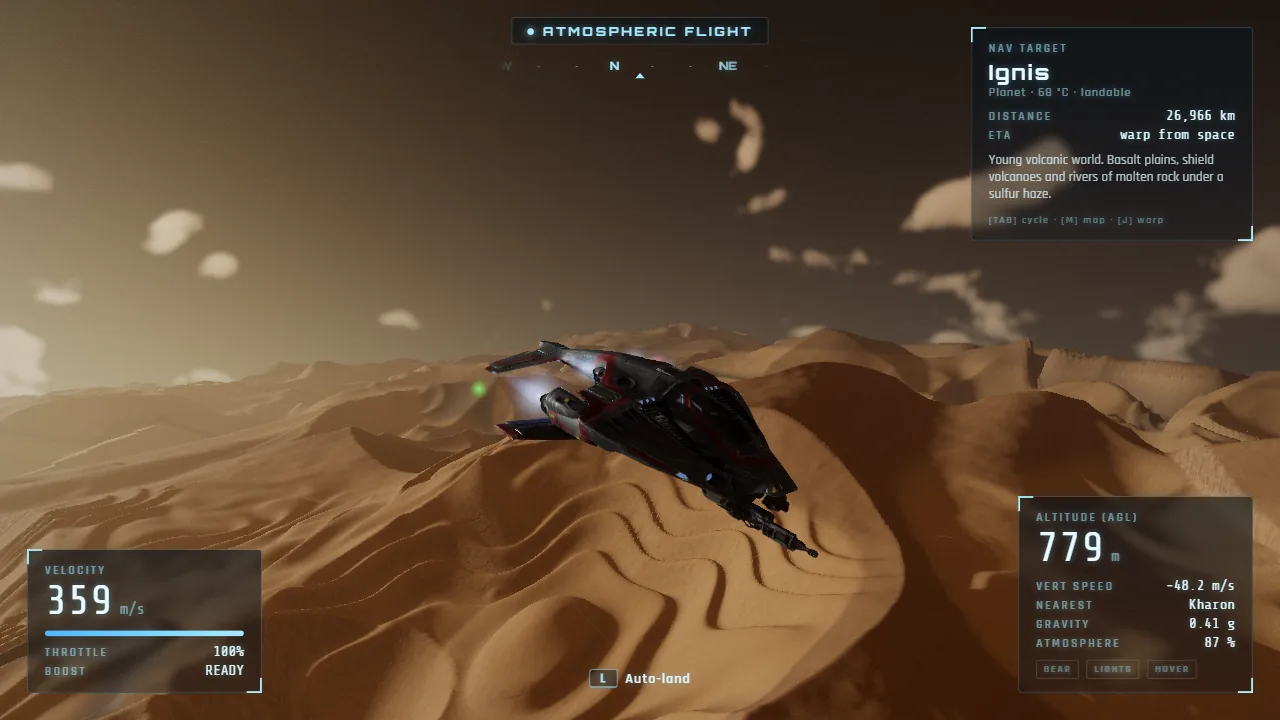
Flying low over the dune sea of Kharon, a desert world under a dusty sky 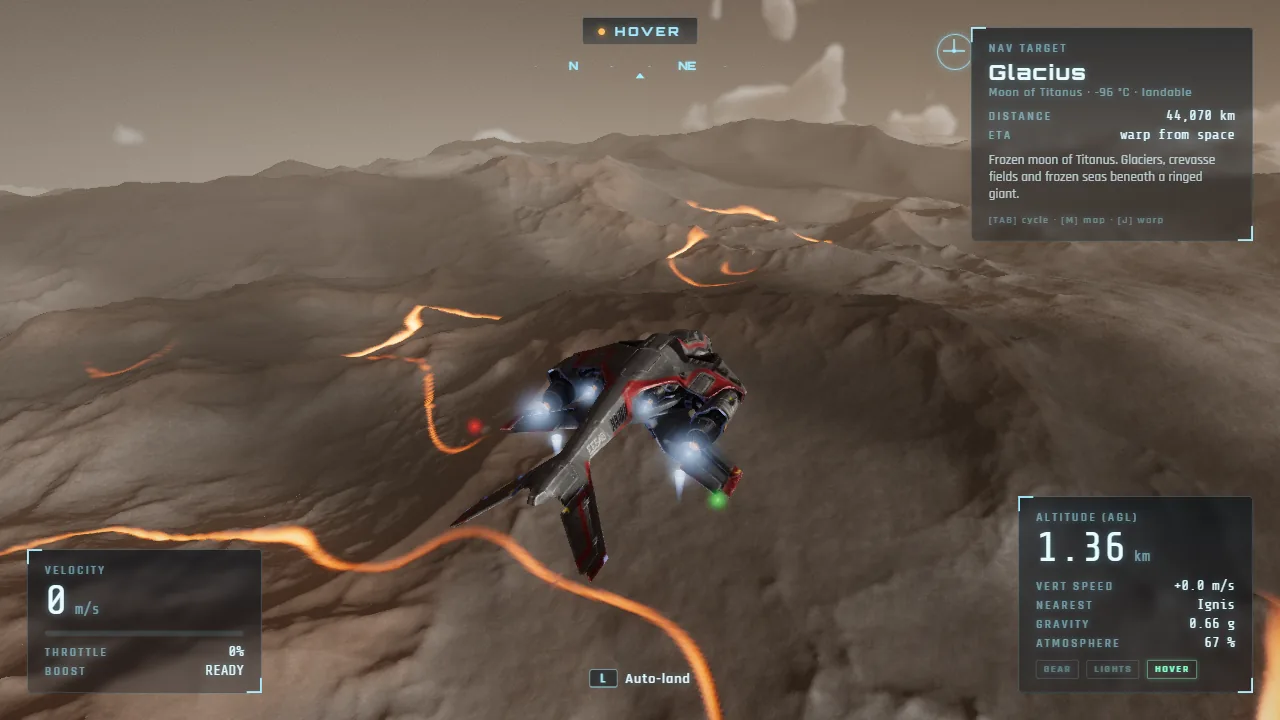
Rivers of glowing lava wind across the volcanic plains of Ignis below the ship
How to play Orbitwing
- 1
Take off
Press Space to lift off from the meadow. Hold W to throttle up and steer with the mouse: the ship turns toward your aim circle and banks by itself.
- 2
Climb to space
Point the nose up and hold Shift to boost. Keep climbing through the clouds until the sky turns black and the HUD says Space Flight.
- 3
Warp to another world
Press Tab (or 1 to 7) to choose a destination, or open the system map with M. Then press J: the warp drive lines up, charges and flies you across the system.
- 4
Land
Fly down through the atmosphere and slow down near the ground: the ship hovers. Use Space and C to climb and descend, or press L and the auto-land sets you down.
Controls
| Input | What it does |
|---|---|
| Mouse | Steer: the ship turns toward your aim and banks by itself |
| W / S | Throttle up / down (below zero goes backwards) |
| Shift | Boost |
| X | Cut the throttle |
| Space / C | Take off; climb / descend while hovering |
| A / D | Slide left / right |
| Q / E | Roll |
| L | Auto-land on the ground below (press again to cancel) |
| Tab or 1–7 | Choose a destination |
| J | Warp drive to your destination (press again to drop out) |
| M | System map: click a world to pick it |
| G / F | Landing gear / landing lights |
| V | Camera: chase, far or cinematic |
| Right mouse / wheel | Look around the ship / camera distance |
| H | Hide or show the HUD |
| Esc | Pause, see all the controls, change settings |
Features
- One smooth flight from a grassy meadow to orbit, with no loading screens
- 5 worlds to land on: an ocean world, a cratered moon, a desert of dunes and canyons, a lava world and an ice moon
- Titanus, a giant ringed planet, and Helios, the star at the center of the system
- A warp drive that plots its course around planets, plus a system map
- Real atmospheres with sunrises, sunsets and a glowing horizon seen from orbit
- Clouds you can fly through, oceans with surf and sun glint, forests and grass
- Re-entry heat and plasma when you dive in from space
- Hover mode, landing gear and an auto-land that finds flat ground
- Chase, far and cinematic cameras, and a HUD you can hide
- A sky full of real stars from NASA's map of the Milky Way
- Graphics quality that adjusts itself to your computer, and fullscreen play
- Free to play, no download, no sign-up; your landings and settings are saved
Tips for Orbitwing
Play in fullscreen
Orbitwing looks best on the whole screen. Press Play Fullscreen on the title screen, or the Fullscreen button under the game.
Boost your way to space
Pull the nose up and hold Shift. The higher you climb, the faster the ship can go, so space comes quickly once you're above the clouds.
Warp from above the air
The warp drive only starts above a planet's atmosphere. Wait for the Leaving Atmosphere message, then press J.
Let the ship land itself
If a landing gets tricky, press L. The auto-land slows you down, lowers the gear and drifts to flatter ground when the slope is too steep.
Try the other cameras
Press V for the far and cinematic cameras, H to hide the HUD, and hold the right mouse button to look around your ship. Perfect for screenshots.
Frequently asked questions
Is Orbitwing free to play?
Yes. Orbitwing is a free spaceship simulator that runs in your web browser. There's nothing to download, nothing to buy and no account to make.
Where can I play a space flight simulator for free?
Right here. Orbitwing is a free space flight simulator you play online: you fly a starfighter from the ground into orbit, warp between planets and land on them, all in a browser tab. Press Play, then Play Fullscreen for the best view.
Is there a game where you can explore space and land on planets?
Yes, that's what Orbitwing is all about. The Helios system has five worlds you can land on, from Aurelia's beaches and forests to the craters of Selene, the dunes of Kharon, the lava rivers of Ignis and the glaciers of Glacius. Fly down through the atmosphere, slow down to hover and touch down wherever you like.
Can I play Orbitwing on my phone or tablet?
Not yet. You fly Orbitwing with a mouse and keyboard, and it needs a computer's graphics card, so for now it's a computer game. Open this page on a laptop or desktop to play.
Orbitwing won't start or runs slowly. What can I do?
Orbitwing is a 3D game that needs WebGL 2. It runs best in an up-to-date Chrome or Edge with hardware acceleration turned on in the browser settings. The first visit downloads about 18 MB, so give it a moment. The game picks a graphics quality that suits your computer; if it still stutters, press Esc and choose Performance or Low under Render quality.
How do I land?
Fly low and slow down: near the ground the ship switches to hover. Then drift down with C, or press L for the auto-land, which lowers the landing gear, finds flat ground and sets you down gently. On a moon with no air, like Selene, come in slowly from above.
How do I get to another planet?
Climb above the atmosphere first, because the warp drive won't start inside it. Press Tab (or a number key from 1 to 7) to pick a destination, or open the system map with M and click a world. Press J and the warp drive lines up, charges and carries you there, steering around any planet in the way. Press J again to drop out early.
How realistic is Orbitwing?
It looks real where it counts: the atmospheres scatter sunlight like real air, every world has its own gravity, re-entry heats the hull, and the stars come from real sky maps. The flying is relaxed rather than hardcore: the ship turns where you aim, hovers near the ground and can land itself, so you don't need to study orbital mechanics to explore.
Is Orbitwing OK for kids?
Yes. There's no fighting, no chat and no sign-up: you fly, explore and land. Younger players may need help with the mouse-and-keyboard controls at first, and the auto-land (L) makes landings easy.
Does Orbitwing save my progress?
Yes. The worlds you've landed on and your settings are saved automatically in the browser you play in. Clearing your browser data resets them.
What's new
- Orbitwing is out: fly a starfighter from the ground into orbit, warp across the Helios system and land on five worlds
- Play Fullscreen button, graphics quality that adjusts itself, and saved settings