
About this color guessing game
Guess the Color is a free color guessing game that you play right here in your browser. A color fills the box for three seconds, then it's gone. Rebuild it from memory with the color picker and see how close you got, as a match from 0 to 100%. Five colors make a round, so one game takes about a minute.
Every day there are five new colors, the same for everyone, so you can compare scores with friends, keep a daily streak and share your result without giving the colors away. Want more? Practice gives you as many colors as you like, and Match mode keeps the color on screen while you rebuild it, which makes it a gentle color matching game for kids and a good way to warm up.
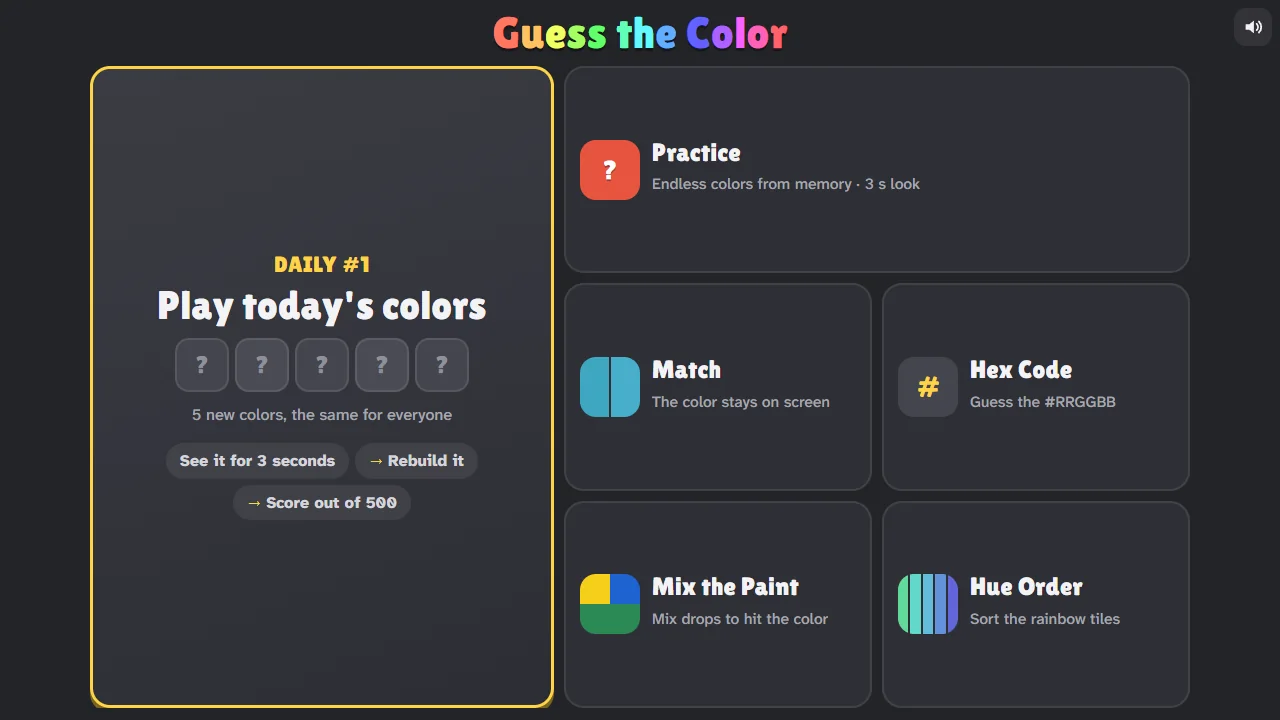
It's more than a color memory game. Guess the hex code of a color, mix drops of red, yellow, blue, white and black paint to hit a target, or sort rows of tiles into hue order. When you're done, send a friend a challenge link with your five colors and find out who has the better eye.
The score is fair: the game compares colors the way people see them, with CIEDE2000, a standard formula for how different two colors look, instead of comparing raw numbers. And because every screen shows colors a little differently, compare scores on the same kind of screen.
Guess the Color videos from creators
For YouTubers, TikTokers and streamers
Make a Guess the Color video. We'll feature it right here.
Post your gameplay on YouTube, TikTok, Instagram, Twitch or anywhere else, then send us the link. We watch every video, and our favorites go on this page with your name and a link to your channel, in front of everyone who comes to play Guess the Color.
- Every view counts on your channel. We embed your video, we never re-upload it.
- Small channels welcome. You don't need followers, just a fun video.
- Videos and streams of 3 minutes or more, on YouTube, Twitch, TikTok or Instagram.
- Free, and no sign-up needed.
Ideas, rules and every featured video: ZoomyGames for creators
A daily color game
The Daily round gives everyone in the world the same five colors. New colors arrive at midnight UTC, and each day has a number, so you can talk about "today's colors" with friends. Play it once a day to keep your streak going: miss a day and the streak starts again.
When you finish, Share copies a short result that shows how you did without showing the colors, for example:
Guess the Color #12: 412/500 🟢🟢🟡🟢🟠
Each circle is one color: green for a 90% match or better, yellow from 70%, orange from 45%, and red below that.
Six ways to play
| Mode | What you do |
|---|---|
| Daily | Five colors from memory, the same for everyone today. One try a day, with a streak |
| Practice | Five colors from memory, as often as you like. Choose how long each color shows: 1, 3 or 5 seconds |
| Match | The color stays on screen while you rebuild it. Easier, and good for younger players |
| Hex Code | Look at a color and work out its hex code, like #3FA7C2, with three dials or by typing |
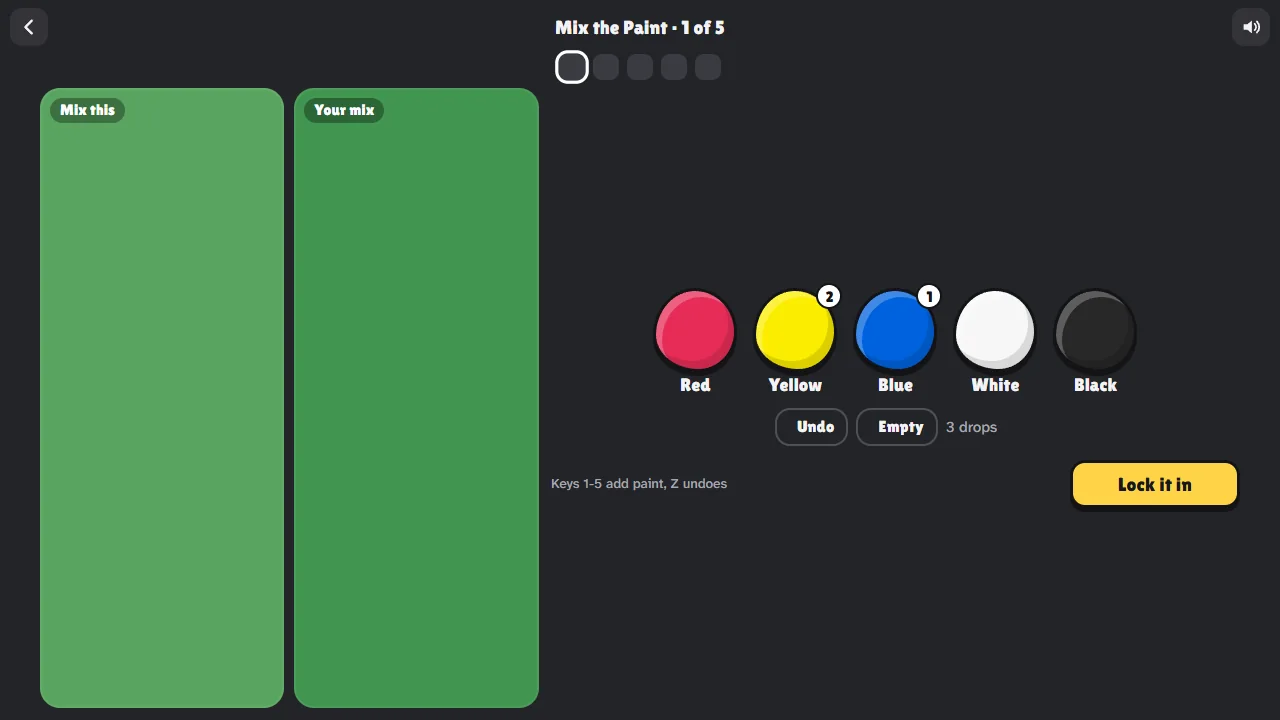
| Mix the Paint | Add drops of red, yellow, blue, white and black paint until your mix matches the target |
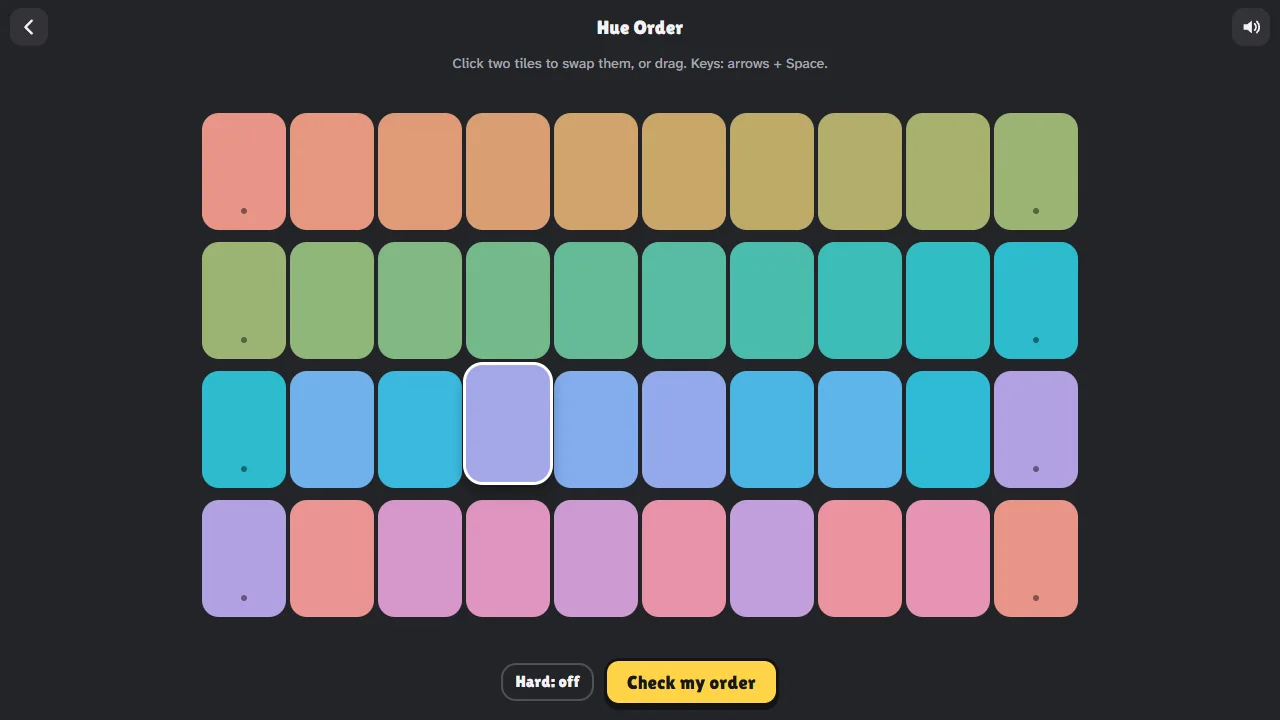
| Hue Order | Put four rows of colored tiles in rainbow order. Tap two tiles to swap them |
How the score works
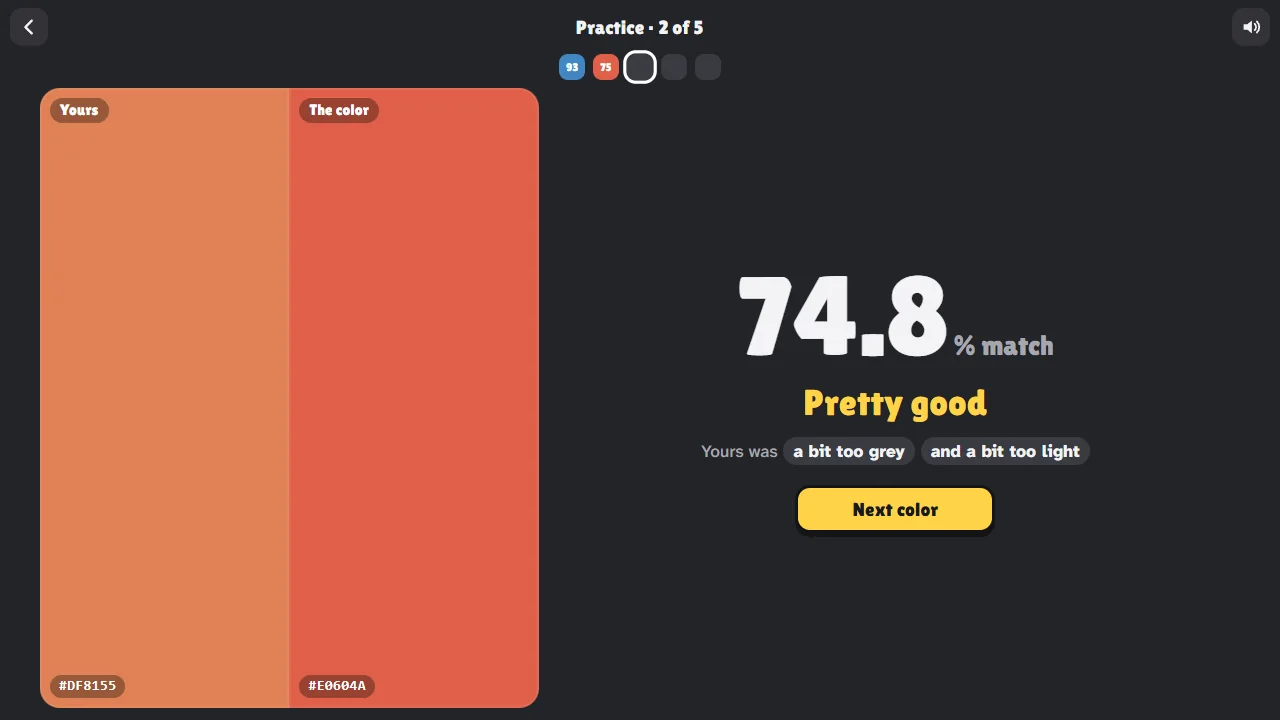
After each color you see your guess right next to the real one, and a match from 0 to 100%. A round of five colors is scored out of 500.
The match comes from CIEDE2000, the color difference formula from the International Commission on Illumination (CIE). It measures how different two colors look to people, so the score follows your eyes: two greens that look nearly the same score high even if their numbers differ, and a small step in a shade where our eyes are sensitive costs more (Sharma, Wu and Dalal, 2005).
| Match | What it looks like |
|---|---|
| 97% or more | Hard to tell apart, even side by side |
| 90% to 97% | Very close: a small difference you notice when you compare |
| 75% to 90% | The same color, a clearly different shade |
| 45% to 75% | The right family, but too light, too dark, too grey or leaning another way |
| Under 45% | A different color |
Under the match, a short hint tells you what to fix next time, like "a bit too dark" or "much too blue".
Why remembering a color is hard
Seeing a color and holding on to it are two different things. Studies of color memory find that people tend to remember a color as closer to the best example of its color name: a slightly blue-green may come back as plain green (Bae and others, 2015). That's why the tips below suggest putting the color into words, including the part that doesn't fit the name.
Why your screen matters
Screens don't all show the same color the same way. Brightness, night mode or a blue light filter, automatic color settings and the screen itself all change what you see. Your guess and the real color are always shown on the same screen, so the game stays fair for you, but two people on different screens may see slightly different colors.
For the truest colors, turn off night mode or any blue light filter, turn the brightness up a little and play with the screen straight in front of you.
Guess the Color is just for fun. It isn't a color vision test and it can't tell you anything about your eyesight. If you're worried about your color vision, ask an optometrist or eye doctor.
Guess the hex code
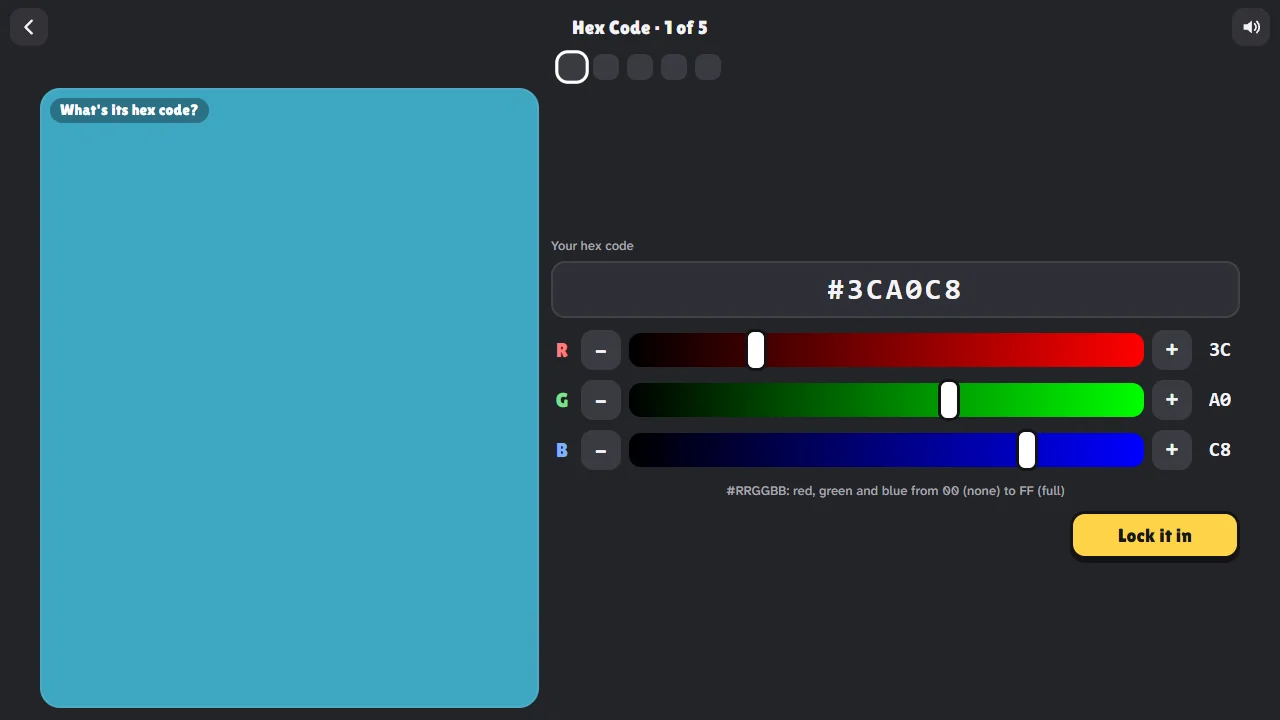
A hex code is how websites and design apps write a color: a # followed by three pairs of digits, for red, green and blue. Each pair runs from 00 (none of that light) to FF (all of it). #FF0000 is red, #FFFF00 is red and green together, which makes yellow, #808080 is a middle grey and #000000 is black.
In Hex Code mode you see a color and work out its code. Your color is only shown when you lock it in, so you can't just match it by eye. Start with the brightest of the three channels, then the darkest, then the one in between.
A color game for kids
Match mode keeps the color on screen, so younger players can learn the picker without having to remember anything. Mix the Paint shows how real paint works: yellow and blue make green, red and white make pink, and a drop of black makes any color deeper. There's no chat, no sign-up and nothing to buy.
Screenshots
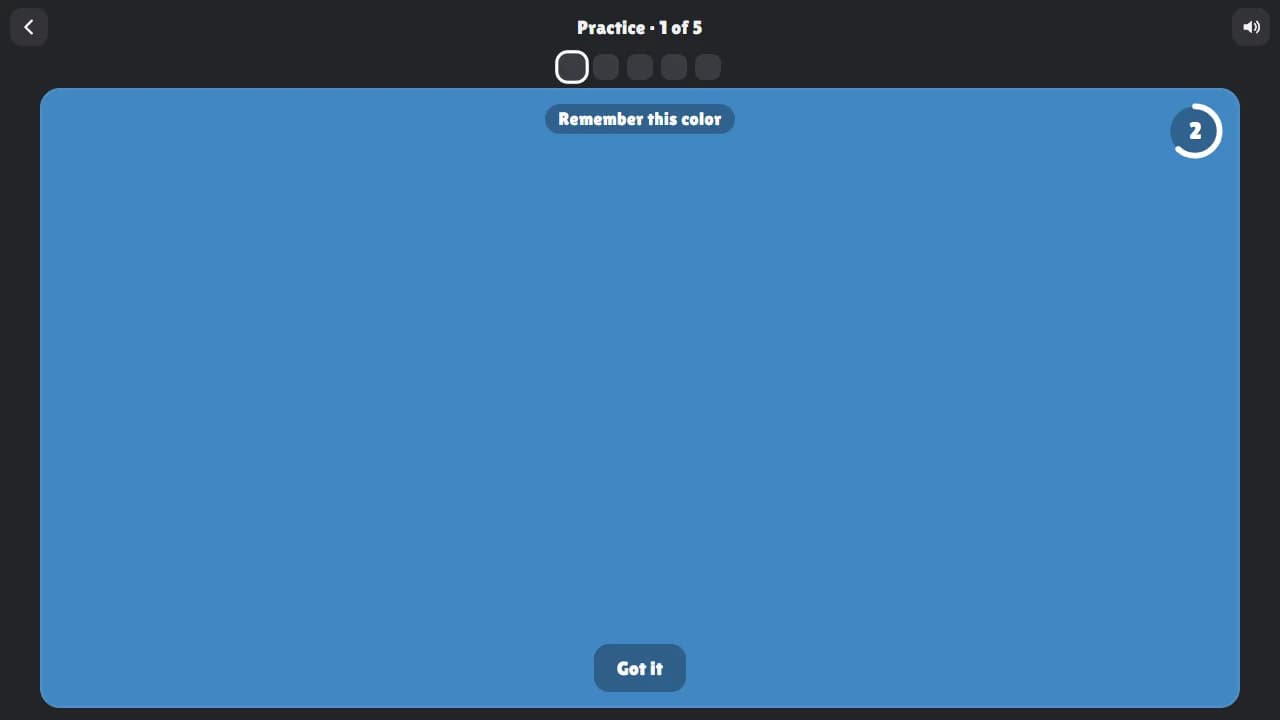
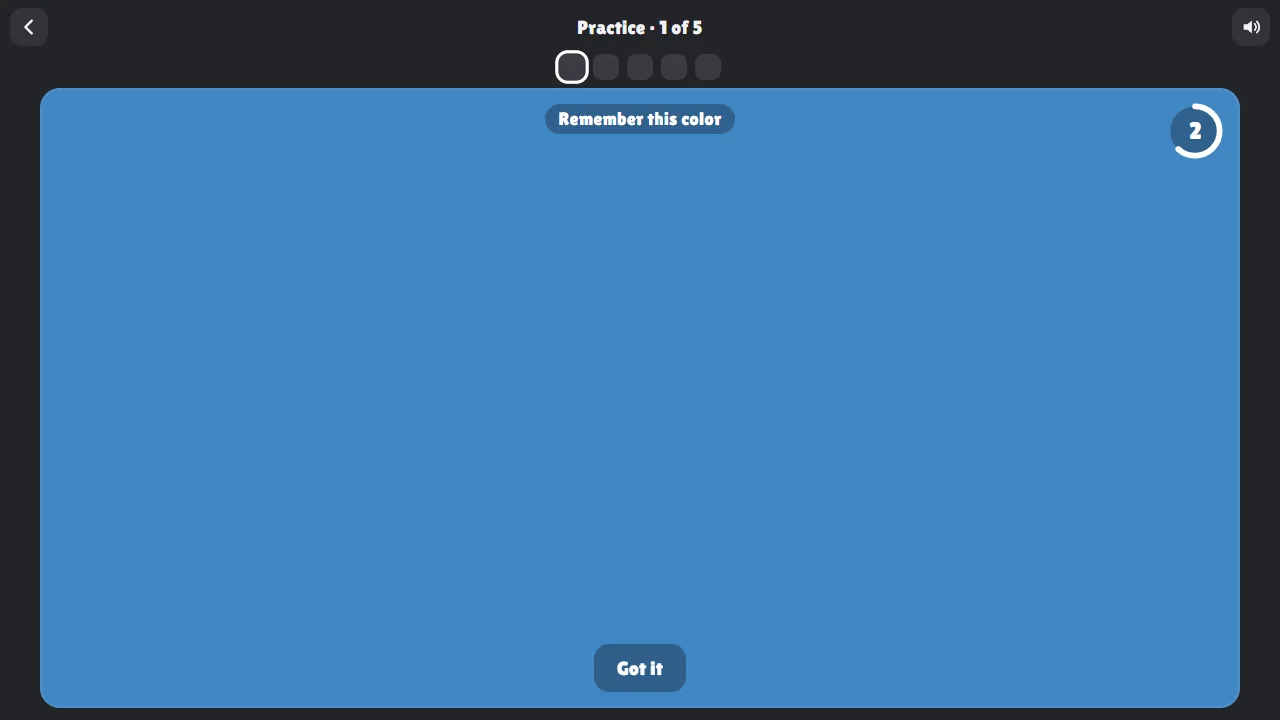
A blue color fills the screen for three seconds with a countdown ring: remember it 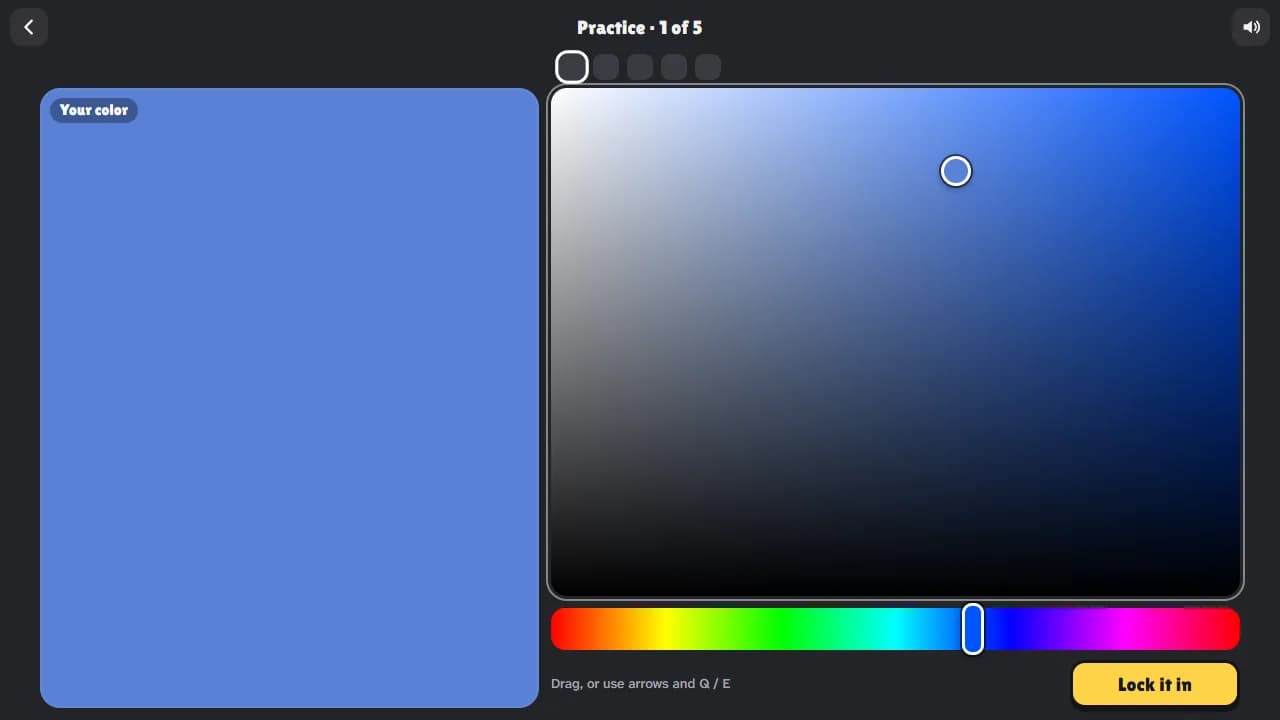
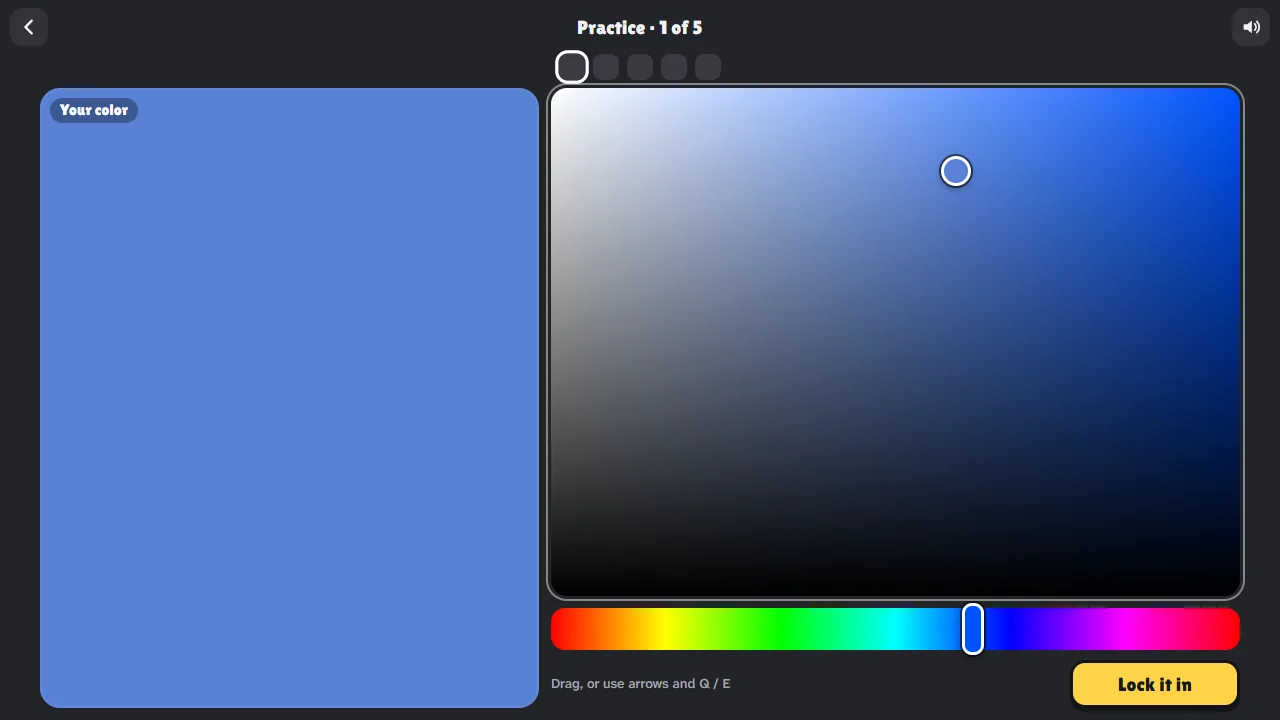
Rebuilding the color from memory with a hue strip and a saturation and brightness square 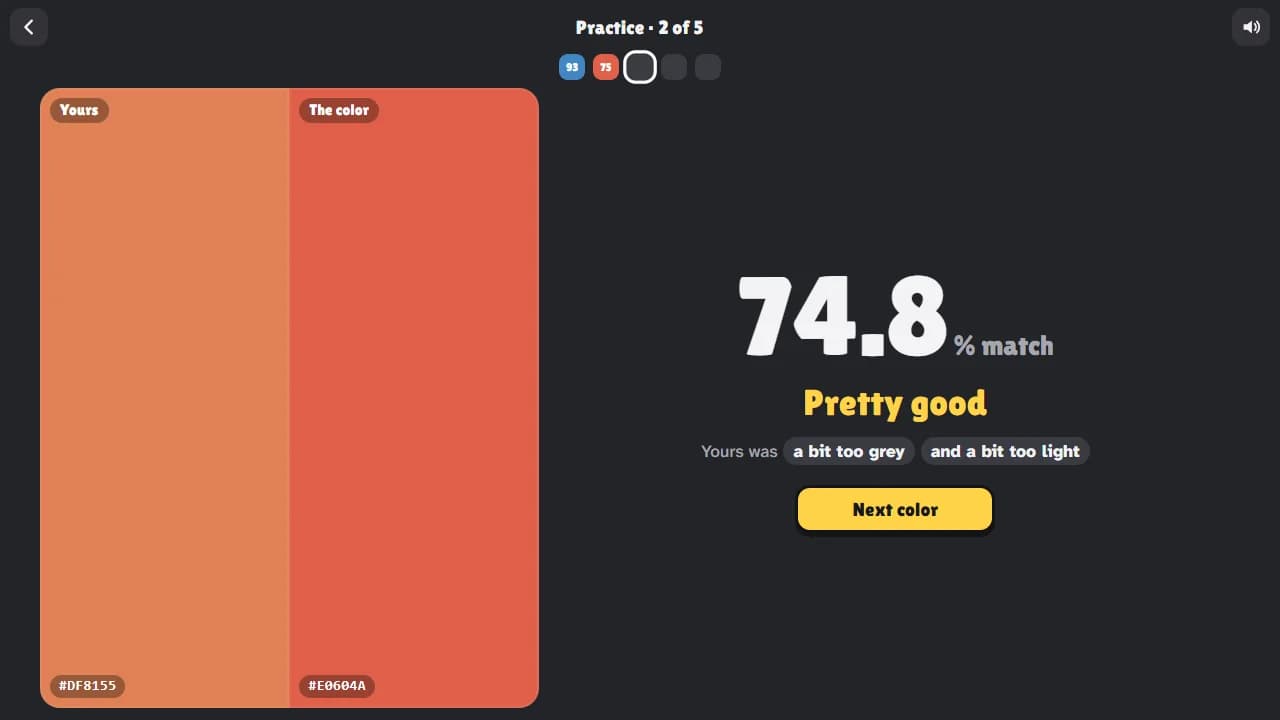
Your color next to the real one, a 74.8% match and the hint: a bit too grey and a bit too light 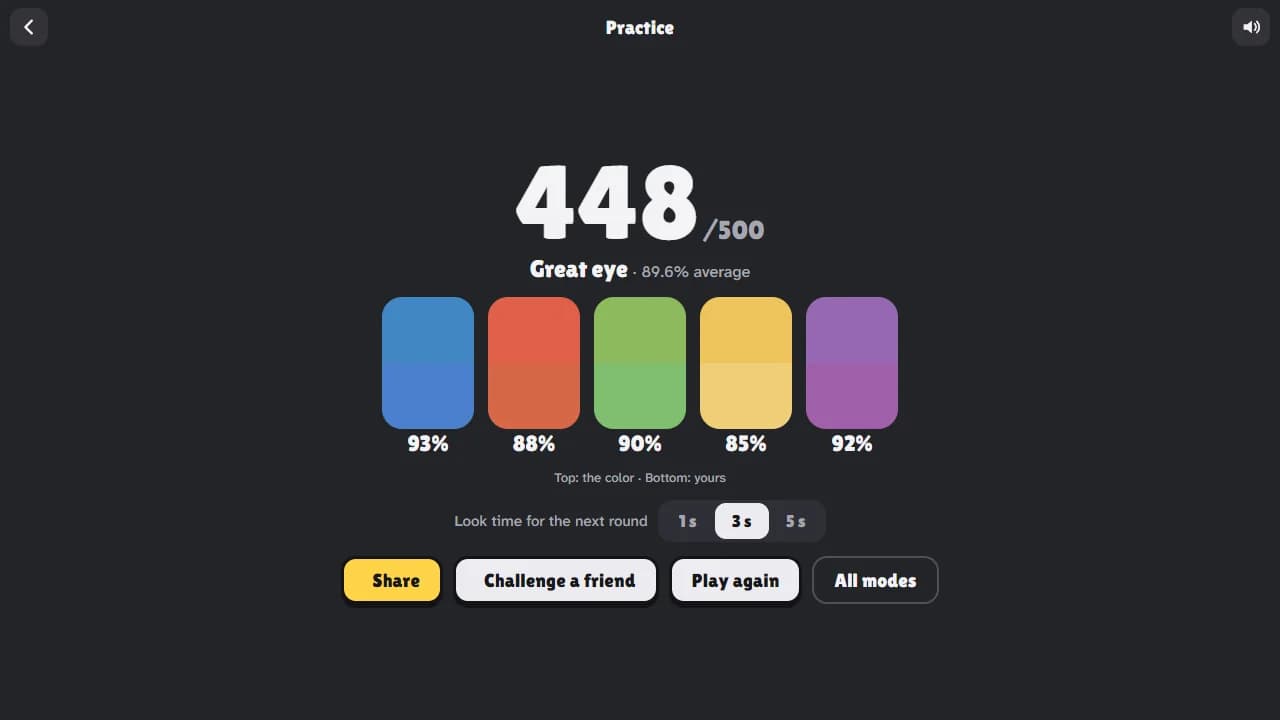
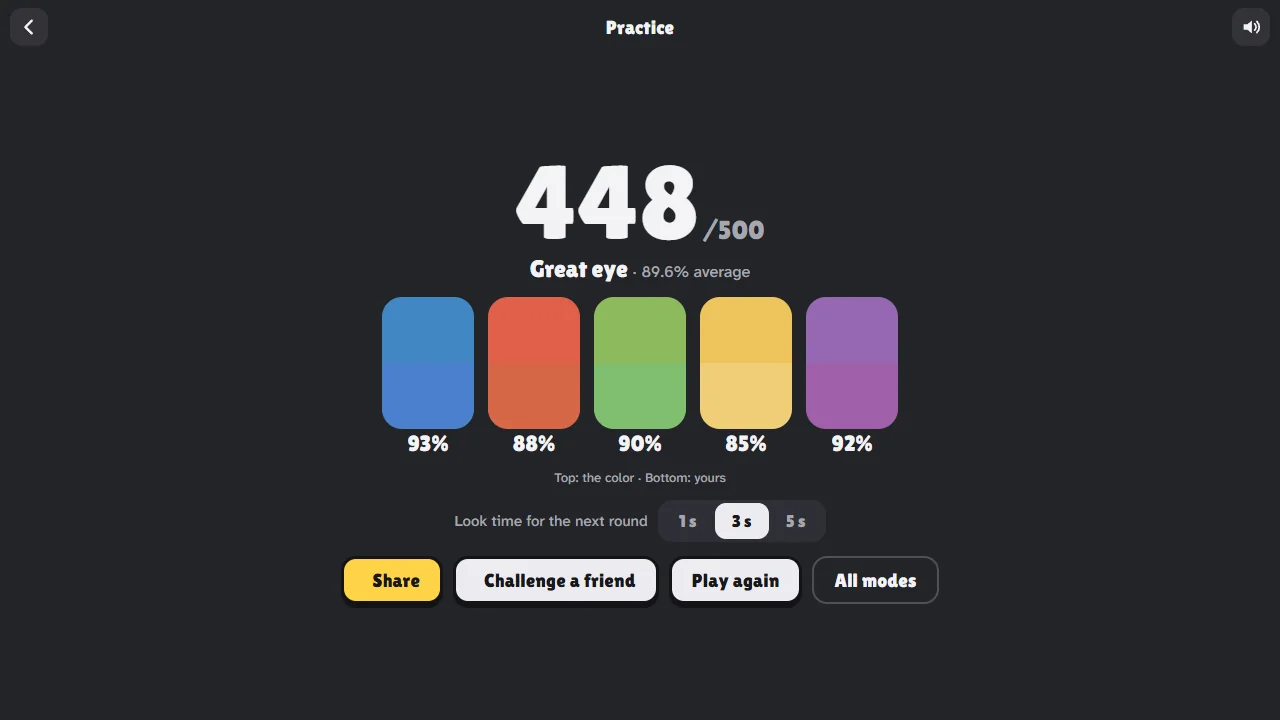
A round score of 448 out of 500 with each color beside the guess and its match 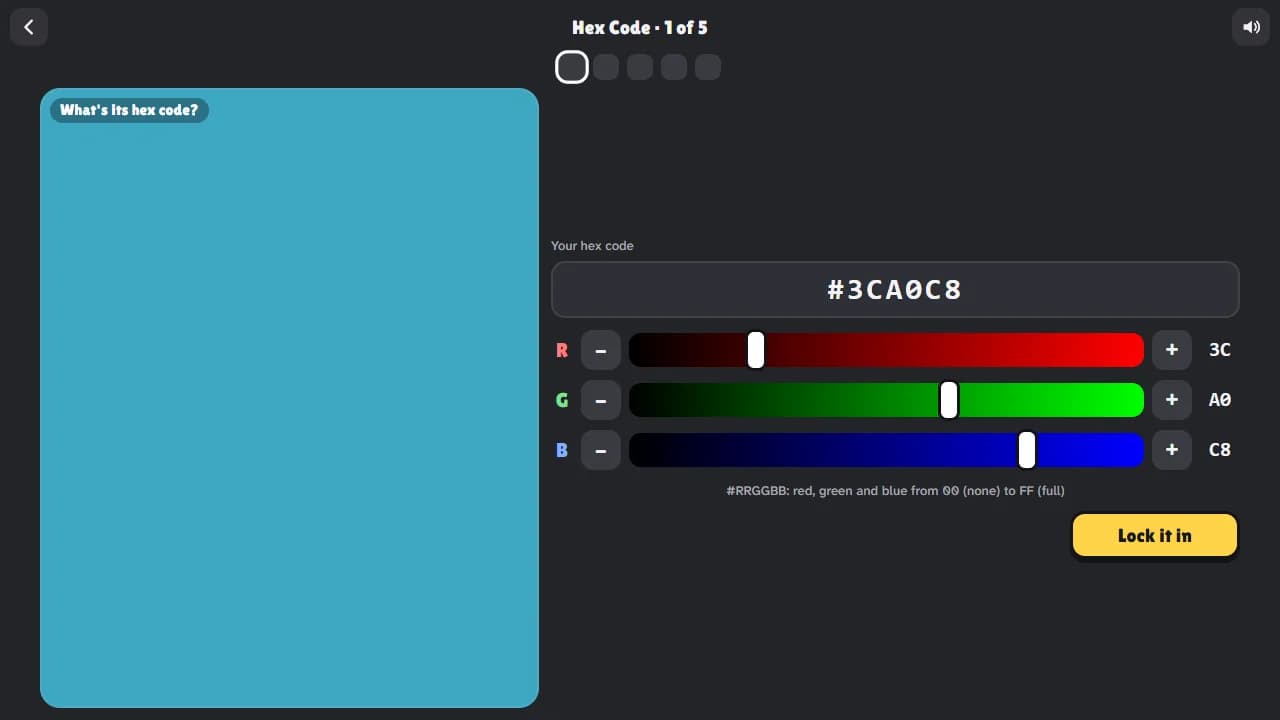
Hex Code mode: guess the hex code of a teal color with red, green and blue dials 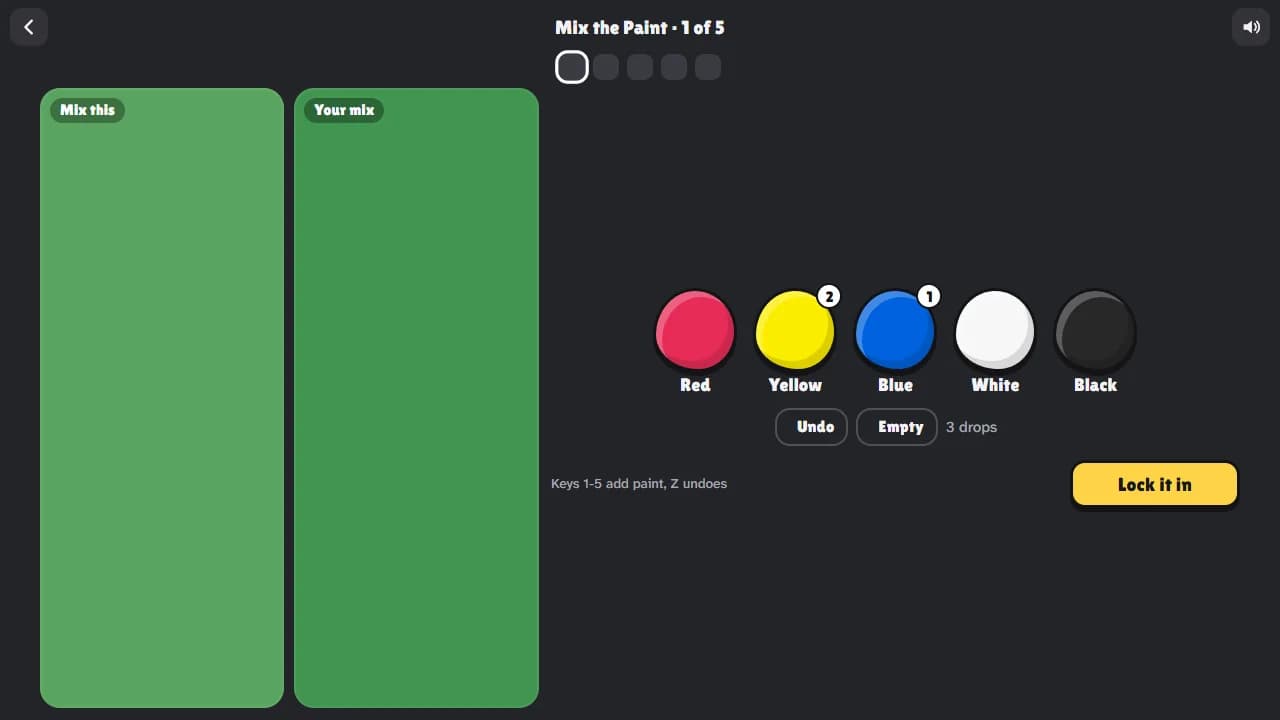
Mix the Paint: two drops of yellow and one of blue make green next to the target color 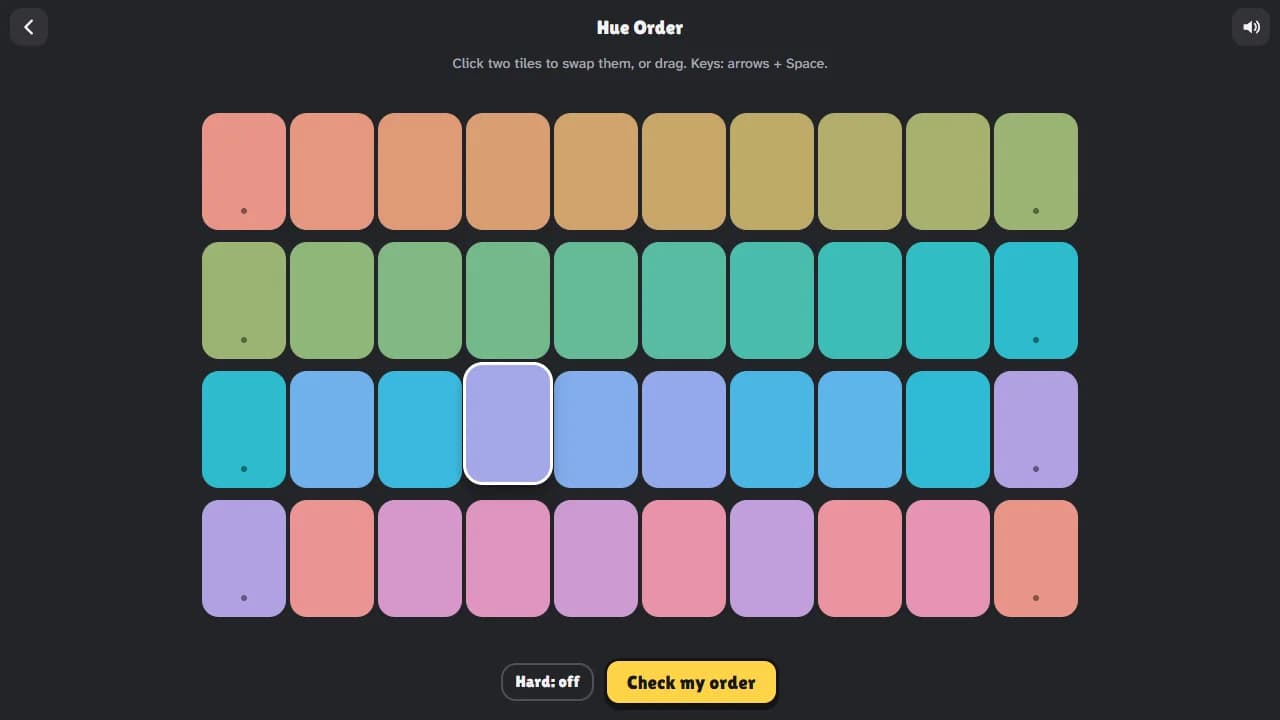
Hue Order: four rows of colored tiles to sort into rainbow order 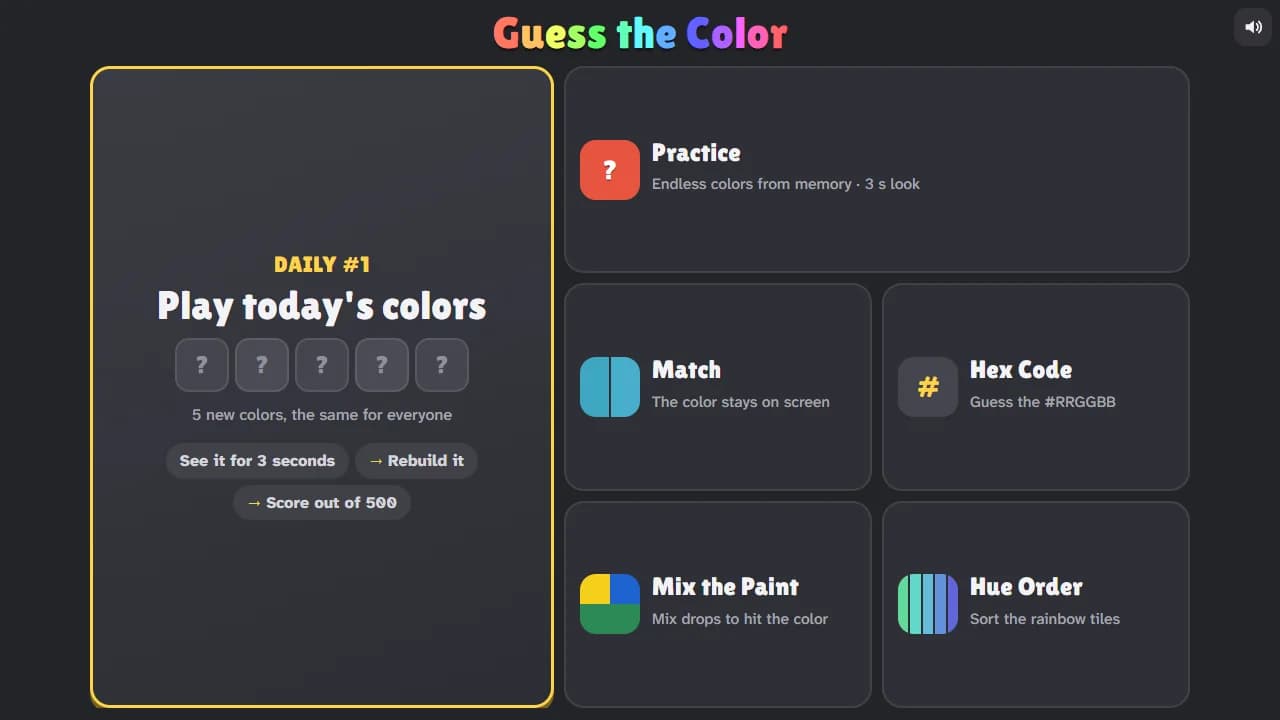
The Guess the Color menu: today's daily colors, Practice, Match, Hex Code, Mix the Paint and Hue Order
How to play Guess the Color
- 1
Look
The color fills the box for three seconds. Take it in: is it light or dark, strong or greyish, and which way does it lean?
- 2
Rebuild it
Pick the hue on the rainbow strip, then drag in the big square: to the right for a stronger color, to the left for a greyer one, up for brighter and down for darker.
- 3
Lock it in
See your color next to the real one, your match out of 100% and a hint like "a bit too dark".
- 4
Five colors, then share
Your round is scored out of 500. Share your result or send a friend a challenge with the same five colors.
Controls
| Input | What it does |
|---|---|
| Drag or tap | Pick the hue on the strip and the color in the square |
| Arrow keys | Move in the square (hold Shift for bigger steps) |
| Q and E (or [ and ]) | Change the hue |
| Enter or Space | Lock it in, then the next color |
| Esc | Back to the modes |
| 1 to 5, Z | Mix the Paint: add red, yellow, blue, white or black; undo |
| Arrows and Space | Hue Order: pick up a tile and move it |
What's in the game
- Five new colors every day, the same for everyone, with a daily streak
- Practice with as many colors as you like, and choose how long each one shows
- Match mode, where the color stays on screen: easy for kids
- Guess the hex code, mix paint to hit a color, and sort tiles in hue order
- Fair scoring with CIEDE2000, so the score follows what your eyes see
- Your color next to the real one after every guess, with a hint on what to fix
- Share your score without spoilers, or challenge a friend to the same five colors
- Starts the moment the page opens: no Play button, no sign-up, no ads in the game
- Works on phones, tablets, Chromebooks and computers, with mouse, touch or keyboard
Tips for remembering colors
Say it in words
Name the color in your head while it shows: "dusty light blue, a little green". Words help you hold on to it, and they tell you where to start on the strip.
Remember what doesn't fit
Memory pulls colors toward their plain name, so note what makes this one different from plain blue or plain green, and aim for that.
Get the brightness right
Light or dark is the easiest thing to remember. Set it first by sliding up or down, then fine-tune how strong the color is.
Many colors are softer than they look
If the color looked a little dusty or pastel, move left in the square, toward grey.
Use the hints
"A bit too dark" or "too blue" after each guess shows how your memory leans. Most people lean the same way every time.
Warm up with Match
Match mode keeps the color on screen. A few rounds teach you where colors live in the picker, which makes the memory rounds easier.
Frequently asked questions
How does the scoring work?
Each guess gets a match from 0 to 100%, worked out with CIEDE2000, a standard formula for how different two colors look to people. 100% means the same color; around 97% is very hard to tell apart. Five colors make a round, scored out of 500.
Why does my screen matter?
Screens show colors differently, and night mode or a blue light filter changes them a lot. Your guess and the real color are shown on the same screen, so it's fair for you, but compare scores with friends on similar screens. Turn off night mode for the truest colors.
When do the daily colors change?
Every day at midnight UTC. Everyone gets the same five colors, and each day has its own number. You can play the Daily round once a day; Practice has as many colors as you like.
Is Guess the Color free?
Yes. It's free to play in your browser, with no download, no sign-up and no ads in the game.
Can I play on my phone?
Yes. It works on phones held upright or sideways, tablets, Chromebooks and computers. On a phone, tap the game and it fills the screen; the close button or your phone's Back button brings you back to this page.
How do challenge links work?
After a round, press Challenge a friend. The link carries your five colors and your scores. Your friend plays the same colors and sees both scores, color by color, at the end. If the link has today's daily colors, it counts as their Daily round.
Is this a color vision test?
No. Guess the Color is a game, just for fun, and it can't tell you anything about your eyesight. If you're worried about your color vision, ask an optometrist or eye doctor.
What is a hex code?
The way websites write colors: # and then three pairs of digits from 00 to FF, for red, green and blue. #FF0000 is red and #808080 is grey. Hex Code mode lets you practise reading them.
Is it good for kids?
Yes. Match mode keeps the color on screen, and Mix the Paint teaches how colors mix. There's no chat and nothing to buy.
Is my streak saved?
Yes, your daily results, streak and best scores are saved in your browser on this device. There's no account. Clearing your browser data resets them.
What's new
- Guess the Color is out: five new colors every day, plus Practice, Match, Hex Code, Mix the Paint and Hue Order
- Challenge links with your five colors and scores













Comments