
About this CPS test
This free CPS test measures how many times you can click per second. There's no Play button: the test is ready when the page opens, and the clock starts with your first click. Click the big pad as fast as you can until the time runs out, and you get your CPS (clicks per second), a rank from Sloth all the way to Lightning, and a chart of every second.
The classic test lasts 5 seconds. You can also pick a 1-second burst, a 10 or 30-second test, the 1-minute test or a long 100-second test. Every click pops on the screen, a heat ring fills up with your speed, and the background charges up the faster you go. Your best run comes back as a ghost to race against next time.
There's more than mouse clicking. The Spacebar test counts how fast you can press the space bar, the Any key test lets you mash any keys at all, and there's a right-click test and a race to 100 clicks. On a phone or tablet it becomes a tap test, and every finger counts. The Double click tab is a quick check of whether your mouse double-clicks by itself.
Your bests and recent tests are saved in your browser. There's a daily challenge with the same target for everyone, and you can send a friend a link that challenges them to beat your score. It works on computers, Chromebooks, tablets and phones, with nothing to install.
CPS Test videos from creators
For YouTubers, TikTokers and streamers
Make a CPS Test video. We'll feature it right here.
Post your gameplay on YouTube, TikTok, Instagram, Twitch or anywhere else, then send us the link. We watch every video, and our favorites go on this page with your name and a link to your channel, in front of everyone who comes to play CPS Test.
- Every view counts on your channel. We embed your video, we never re-upload it.
- Small channels welcome. You don't need followers, just a fun video.
- Videos and streams of 3 minutes or more, on YouTube, Twitch, TikTok or Instagram.
- Free, and no sign-up needed.
Ideas, rules and every featured video: ZoomyGames for creators
5-second, 10-second and 1-minute CPS tests
The 5-second CPS test is the one most people take: long enough that one lucky click doesn't matter much, short enough to try again straight away. The 1-second test shows your top speed in one burst. The 10 and 30-second tests and the 1-minute test show how long you can keep your speed up, and the 100-second test is for anyone who wants a real challenge. Everybody slows down a little over a long test, so compare a 5-second score with other 5-second scores.
The 100 clicks race works the other way around: the clock runs until you've clicked 100 times, and your score is how long it took (and your CPS).
Spacebar clicker and keyboard test
Pick Spacebar to test how fast you can press the space bar: every press counts, and the big key on the screen goes down with you. Holding the key down doesn't count, because keyboards repeat a held key by themselves: let go and press again each time. The Any key test counts every key you press, so you can drum with several fingers or both hands.
Spacebar speed and click speed are usually close, but not the same. Try both and see which one is faster for you.
What is a good CPS?
There's no official chart of click speeds, but research on finger tapping (the lab version of a click test) gives a good idea of normal speeds. In a 2024 study, 370 adults tapped a phone or tablet screen as fast as they could for 30 seconds: people aged 50 to 70 averaged about 5.2 taps a second, and people aged 18 to 30 were faster (Heimhofer and others, 2024). In a computer tapping study of about 1,500 adults, people tapped faster with their main hand, younger people tapped faster than older people, and men tapped a little faster than women at every age (Hubel and others, 2013).
So on this test, 5 to 8 CPS on the 5-second test is a solid, normal speed for a hard try, and 10 CPS or more usually takes practice or a special clicking technique. These are the ranks you can earn:
| CPS | Rank |
|---|---|
| Under 3 | Sloth |
| 3 to 4 | Turtle |
| 4 to 5 | Penguin |
| 5 to 6 | Rabbit |
| 6 to 7 | Kangaroo |
| 7 to 8 | Horse |
| 8 to 9 | Cheetah |
| 9 to 10 | Eagle |
| 10 to 12 | Bee |
| 12 to 14 | Dragon |
| 14 or more | Lightning |
Your own CPS changes with the mouse, the surface, the length of the test and whether your hand is warm, so it's normal to see a different number every time. Take the test a few times and look at your best.
Jitter clicking vs butterfly clicking
Fast clickers, such as players of PvP games like Minecraft, use a few tricks to get past normal clicking speed:
- Jitter clicking: you tense the muscles in your forearm and wrist so your finger shakes very quickly on the mouse button. It's fast but tiring, so keep tests short and take breaks.
- Butterfly clicking: two fingers (usually the index and middle finger) take turns on the same button. Some mice count one press as two clicks when you do this, which pushes the score up.
- Drag clicking: you slide a finger across a grippy mouse button so it bounces many times. It only works on some mice.
You can try every one of them on the Click test. They count like any other click, as long as the clicks come from your hand: auto clickers and impossible bursts make a result unofficial (see below). If clicking ever hurts, stop and rest your hand.
Mouse double click test
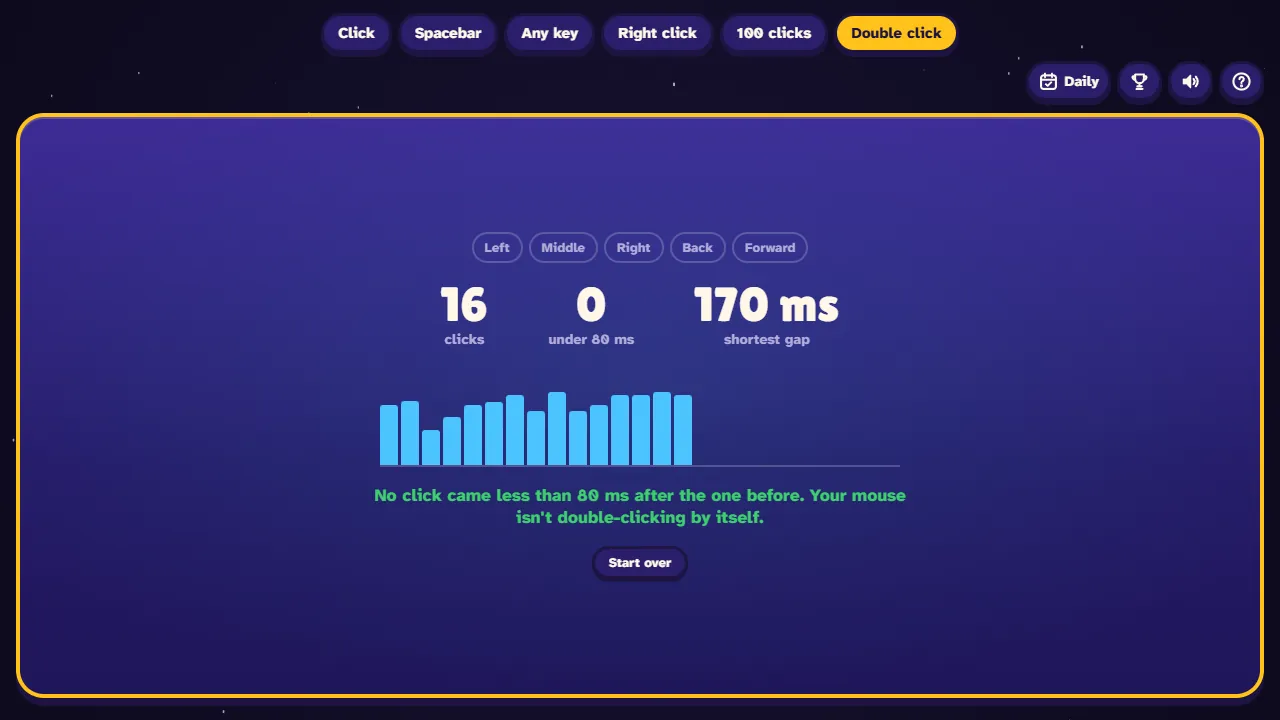
If your mouse sometimes opens things when you only clicked once, its switch may be wearing out and "bouncing", so one press counts as two clicks. Open the Double click tab and click slowly, once at a time. The test shows the gap between every two clicks and lights up each mouse button you press (left, middle, right, back and forward), so it doubles as a mouse button test.
A normal double click has a gap of a few hundred milliseconds: Windows counts two clicks as a double click when they come within 500 ms, unless you change it (Microsoft). Clicks that come less than 80 ms apart are marked in red. If you see red bars while clicking slowly, your mouse is probably double-clicking by itself.
How CPS is calculated
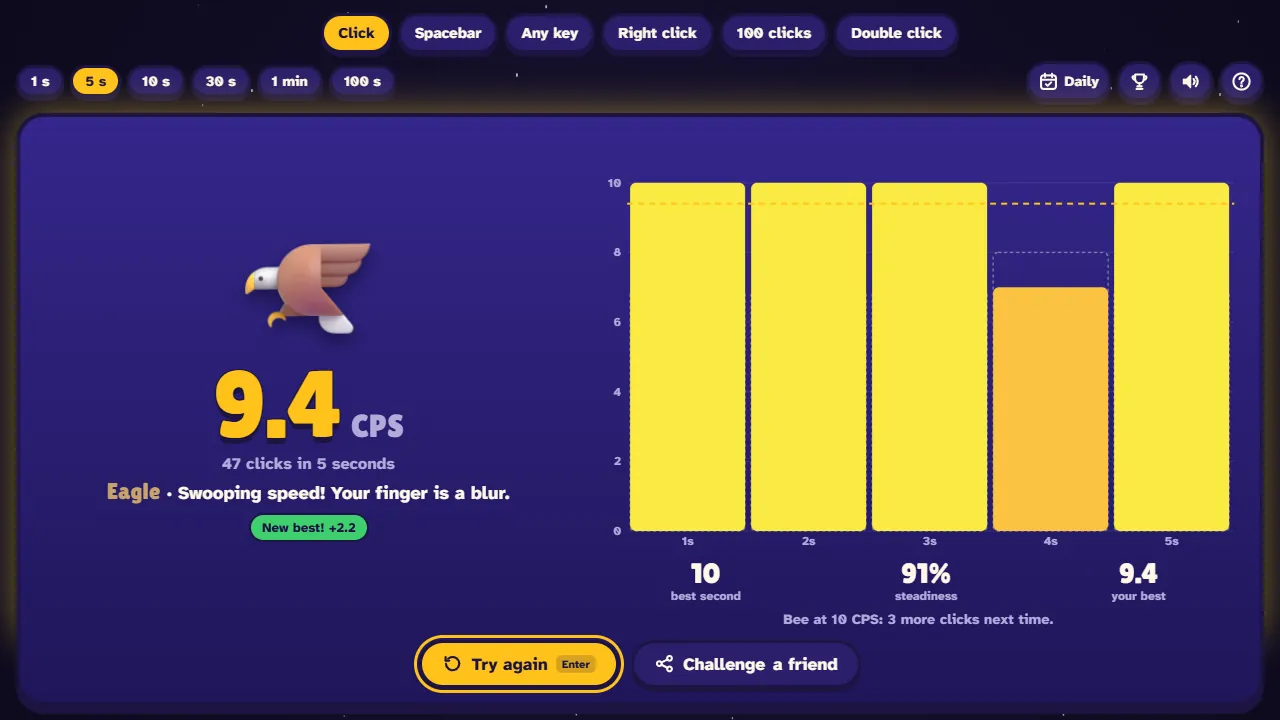
CPS is the number of clicks divided by the length of the test in seconds. Your first click starts the clock and counts. For example, 38 clicks in a 5-second test is 38 ÷ 5 = 7.6 CPS. The chart on the results shows how many clicks you made in each second, and "steadiness" shows how even those seconds were (100% means the same number every second).
- Clicks after the time is up don't count.
- On a touch screen, every finger that touches the pad counts as a tap.
- On the Spacebar and Any key tests, a key has to come back up before it counts again.
- A result is marked unofficial, and isn't saved as your best, if more than 35 clicks land inside one second with a mouse (60 on a touch screen or the Any key test), or if many clicks in a row come at perfectly even gaps, the way an auto clicker clicks.
CPS test on a Chromebook, laptop or phone
The test runs in any modern browser, so it works on school Chromebooks and laptops with nothing to download. On a touchpad, tapping with one finger is usually faster than pressing the pad down. On a phone or tablet, tap the pad with one finger, two thumbs or several fingers: each one counts. Press the full-screen button for a bigger pad.
Different devices give different scores, so compare phone scores with phone scores and mouse scores with mouse scores. Want to test more than your clicking? See how quickly you react in the Reaction Time Test, or how many words per minute you type in the Typing Test.
Screenshots
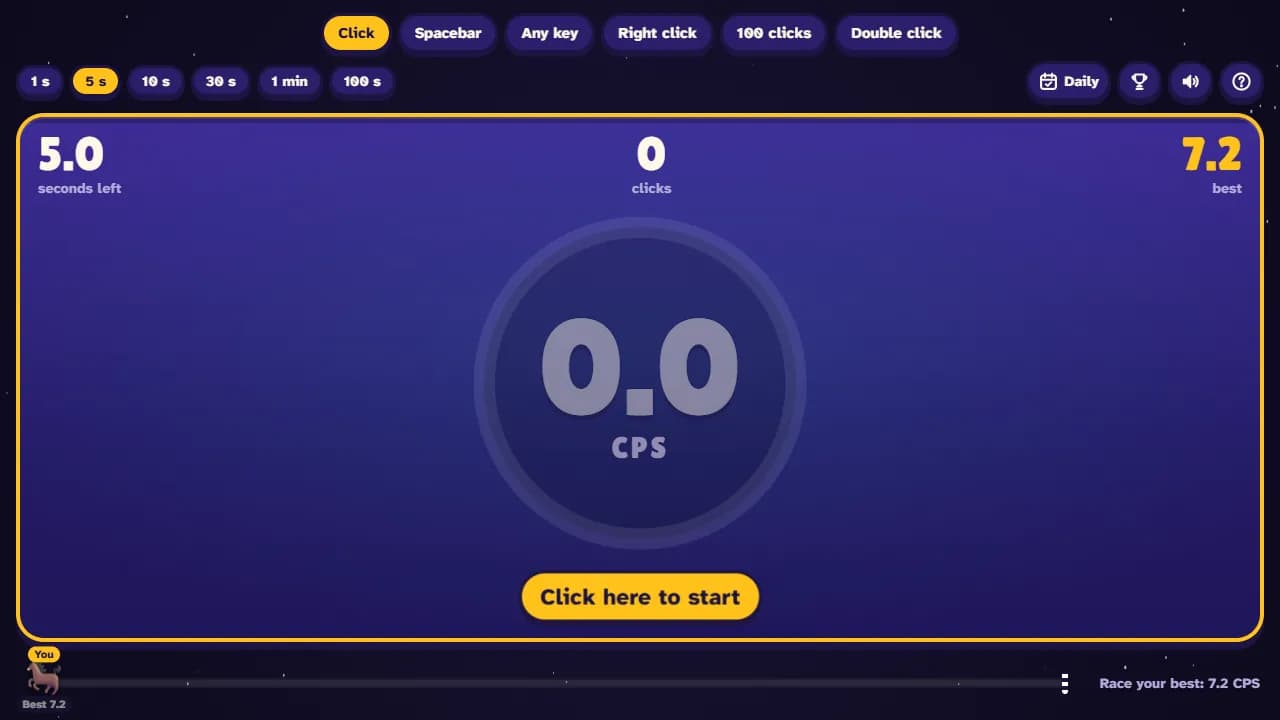
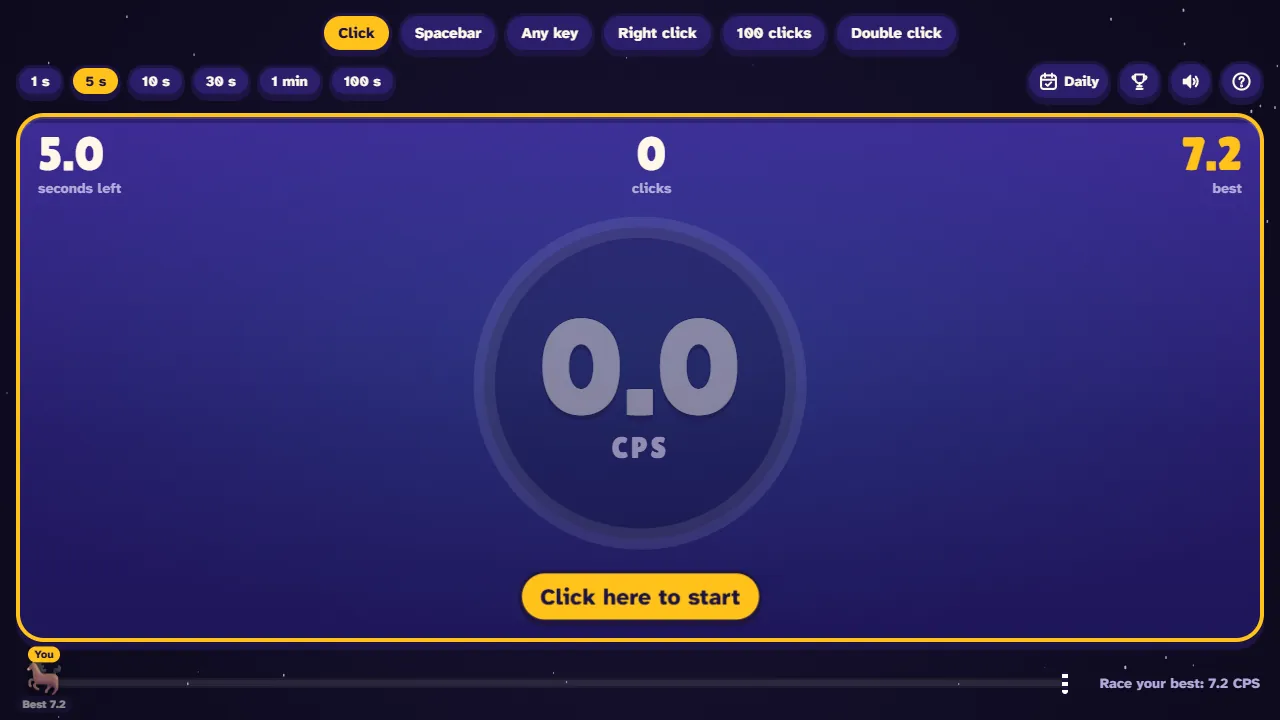
The CPS test ready to go: a 5-second click test with the big click pad, your best and the race bar 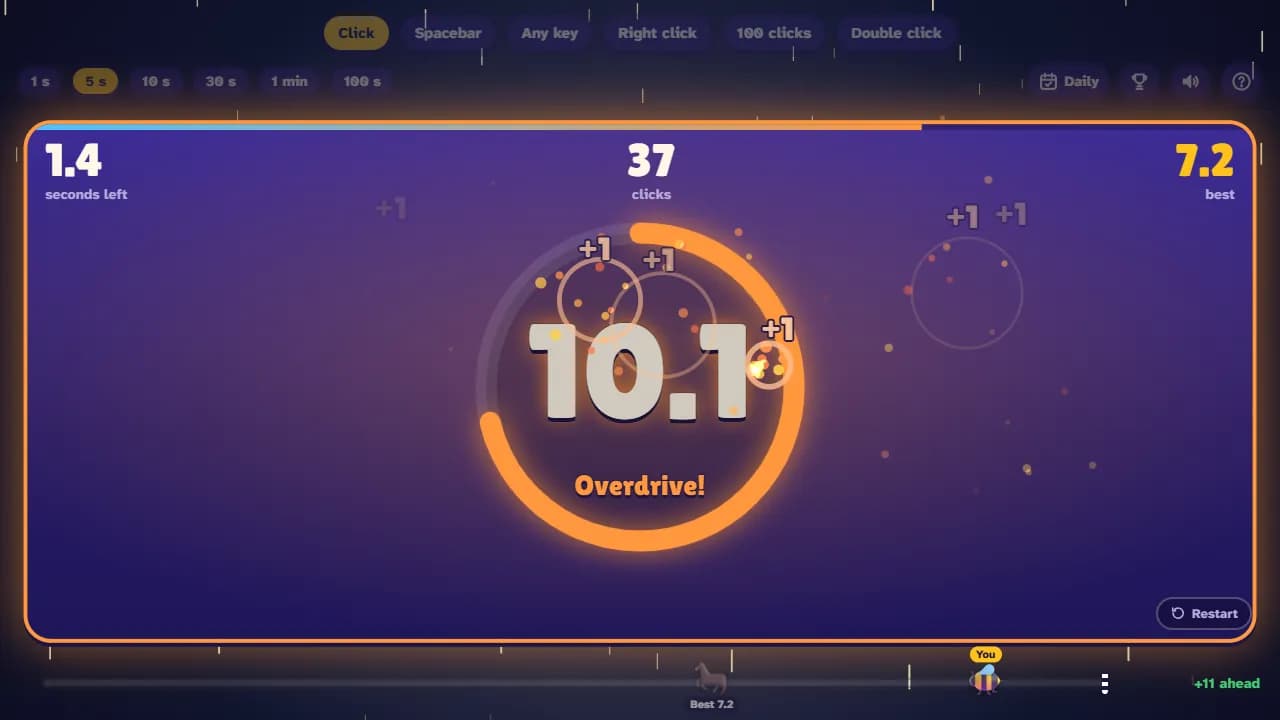
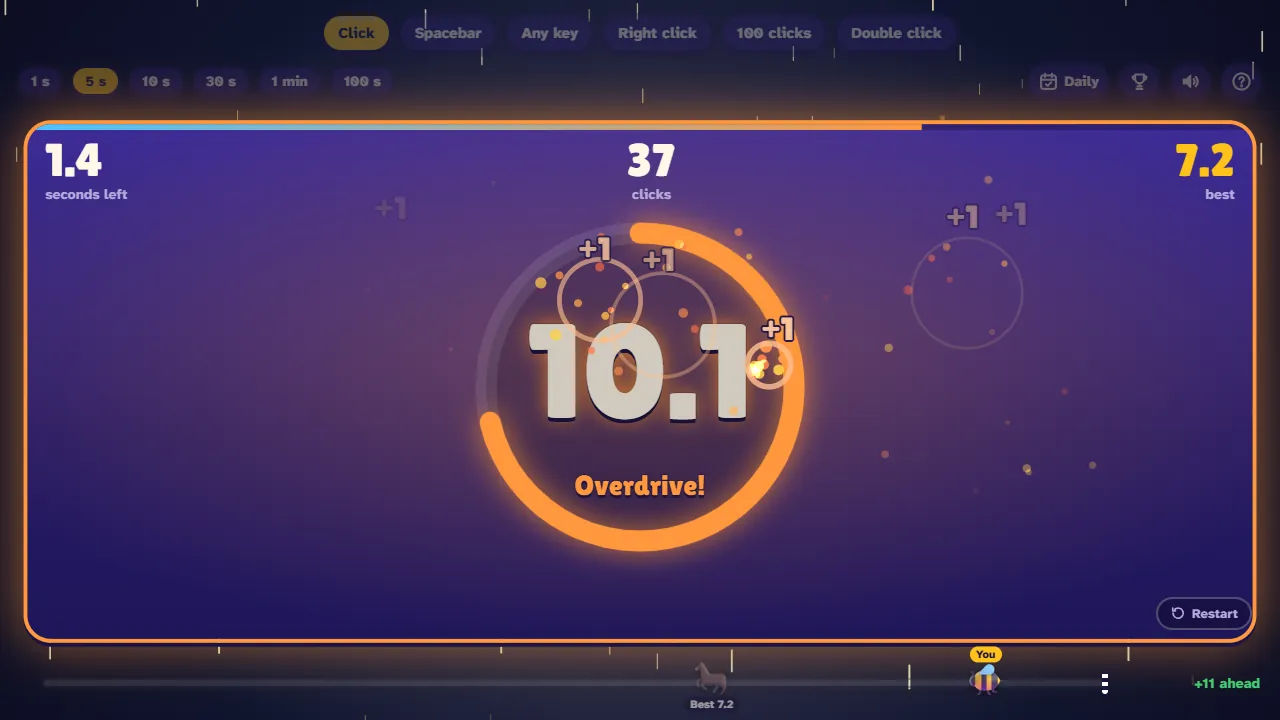
Clicking at 9.6 CPS: the heat ring glows orange, Overdrive!, clicks pop on the pad and you're 9 ahead of your best 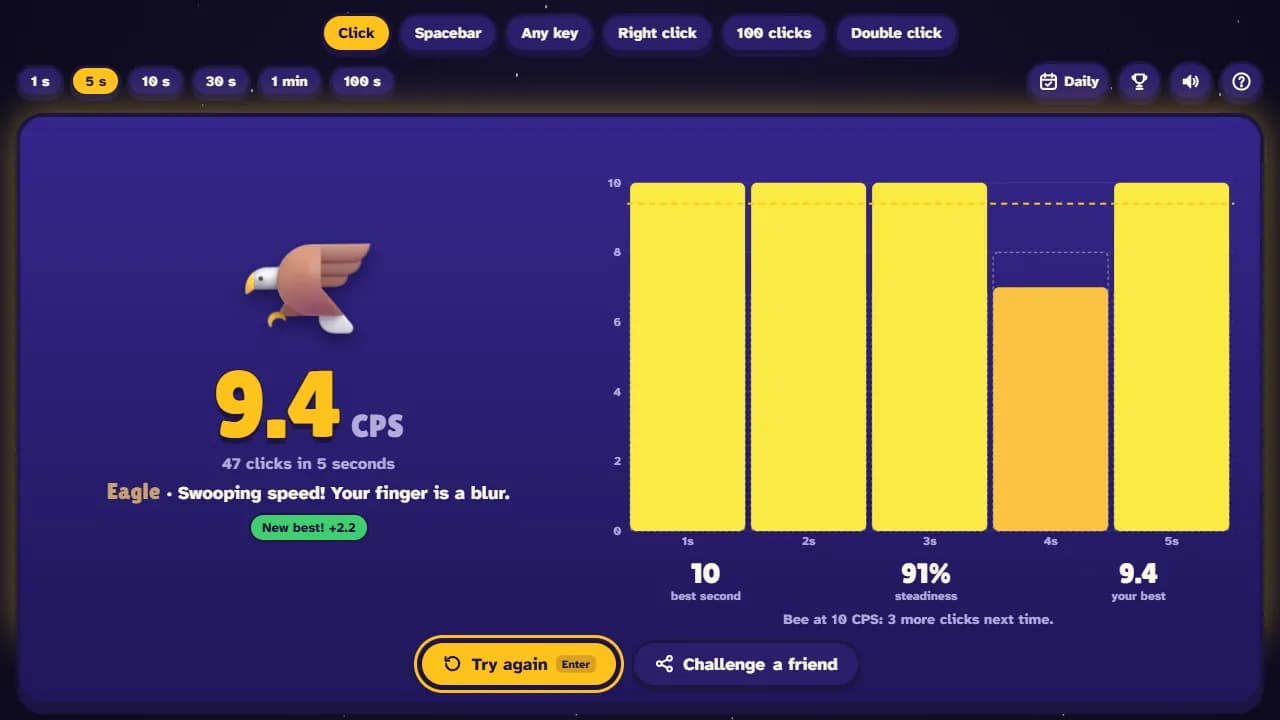
CPS test results: 9.2 CPS, the Eagle rank, a new best, and a chart of the clicks in every second 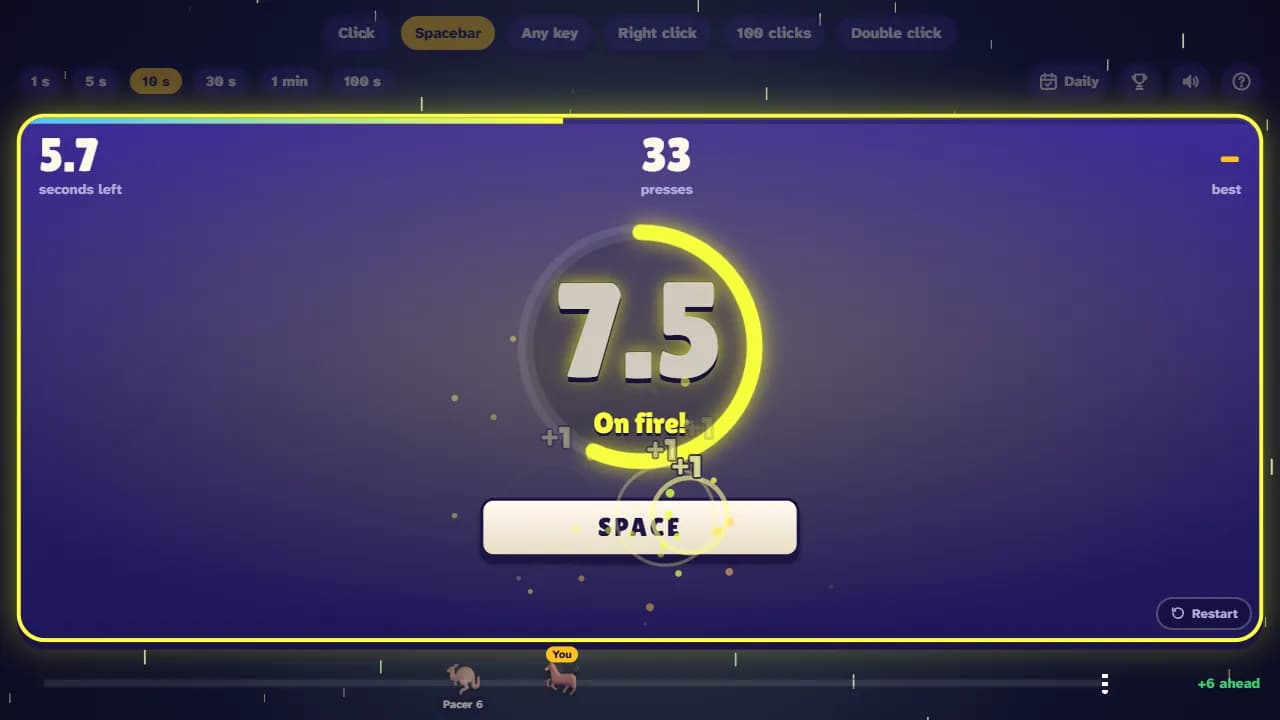
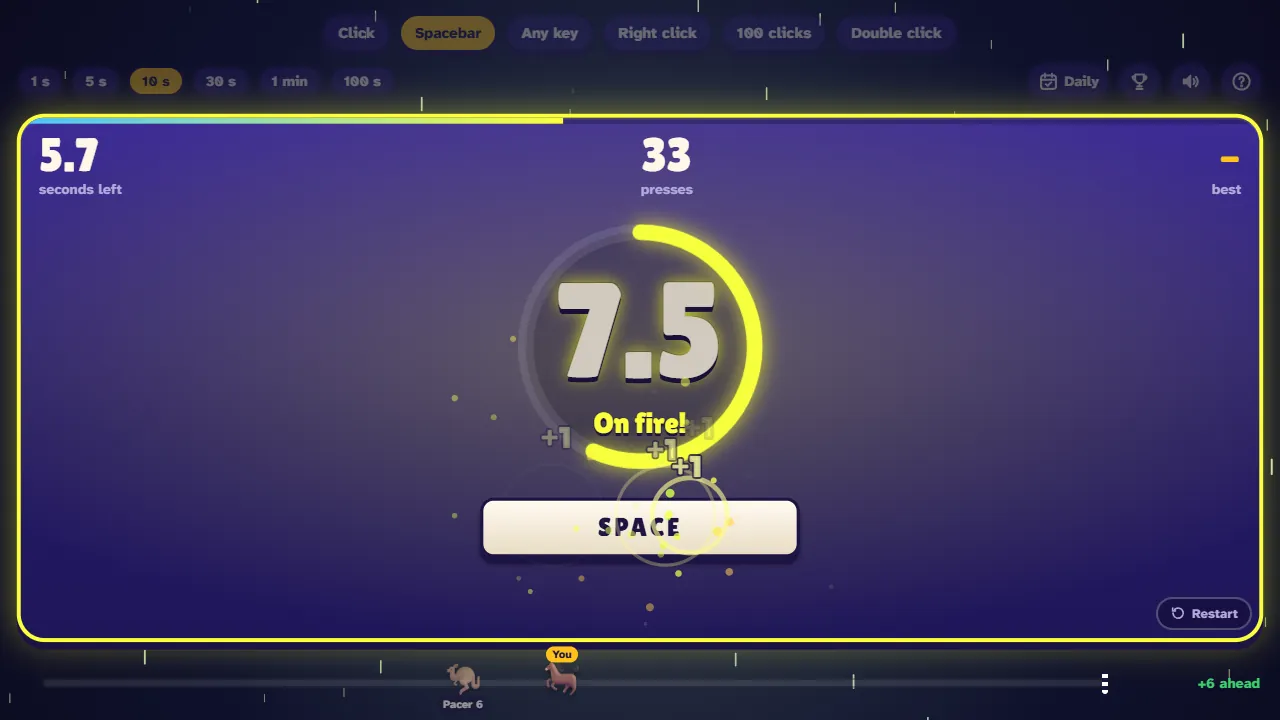
The spacebar test: a big space key on the screen goes down with every press 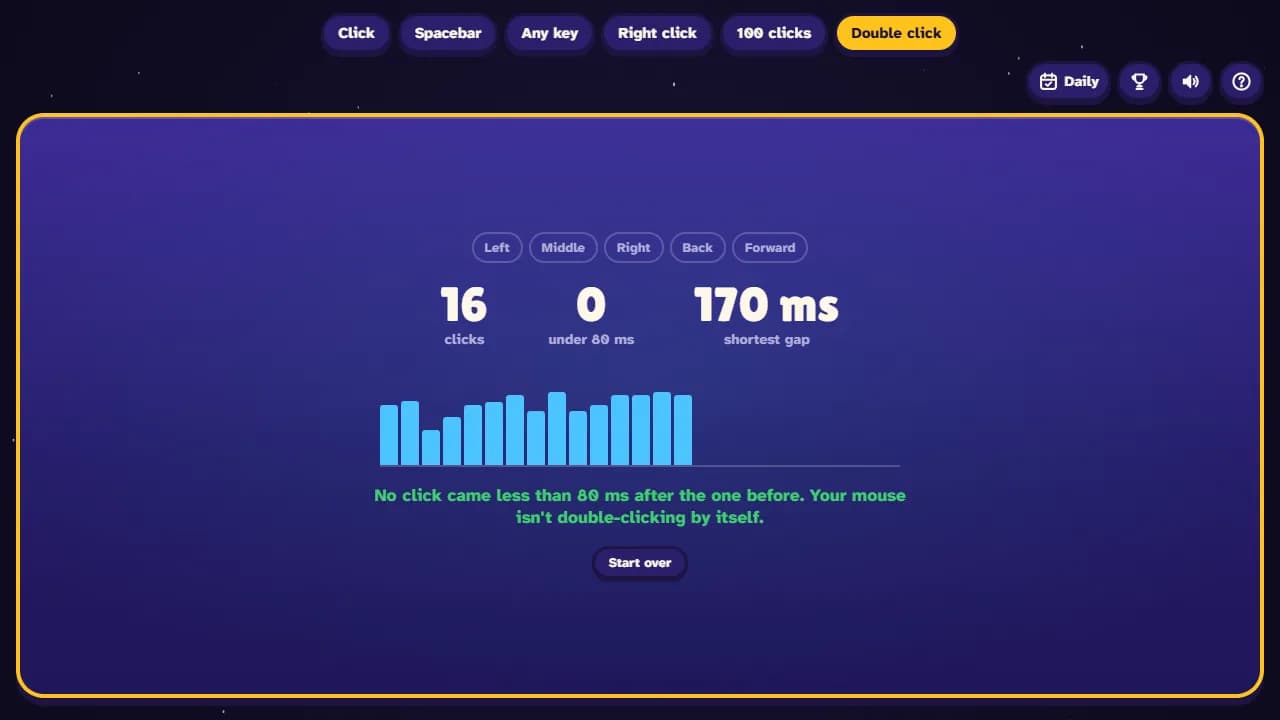
The mouse double click check: the gap between every two clicks, and lights for each mouse button 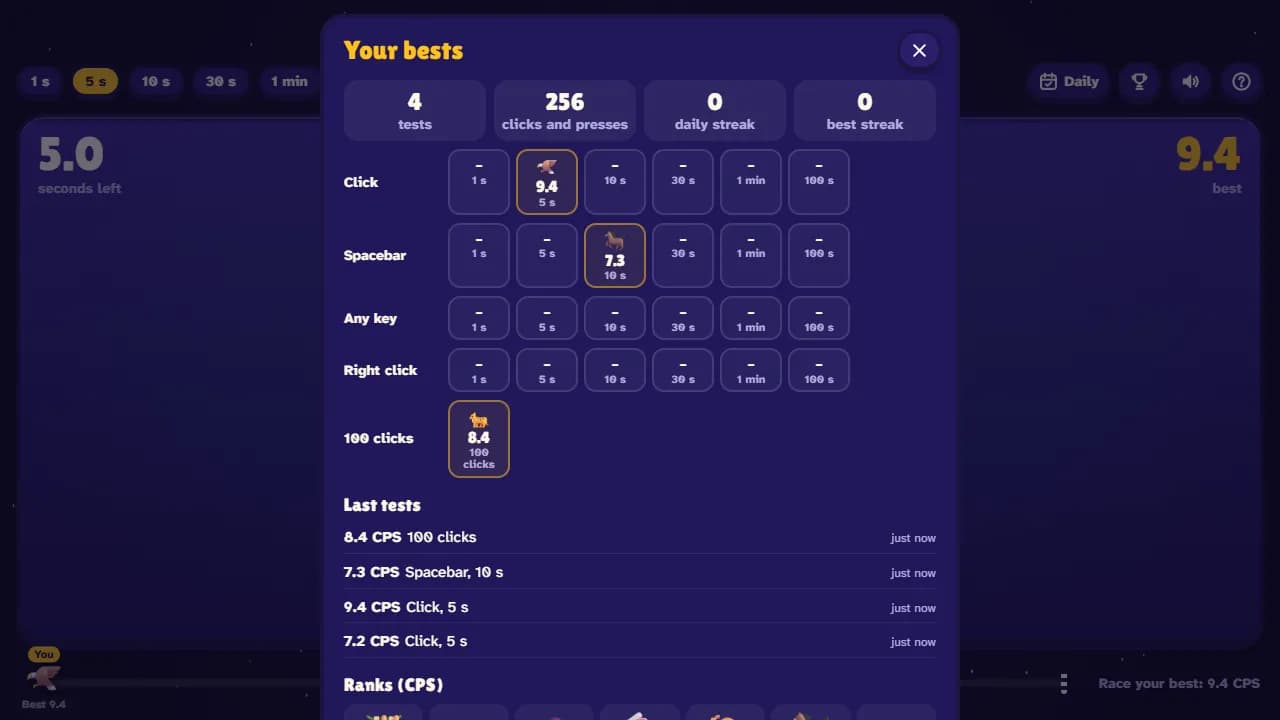
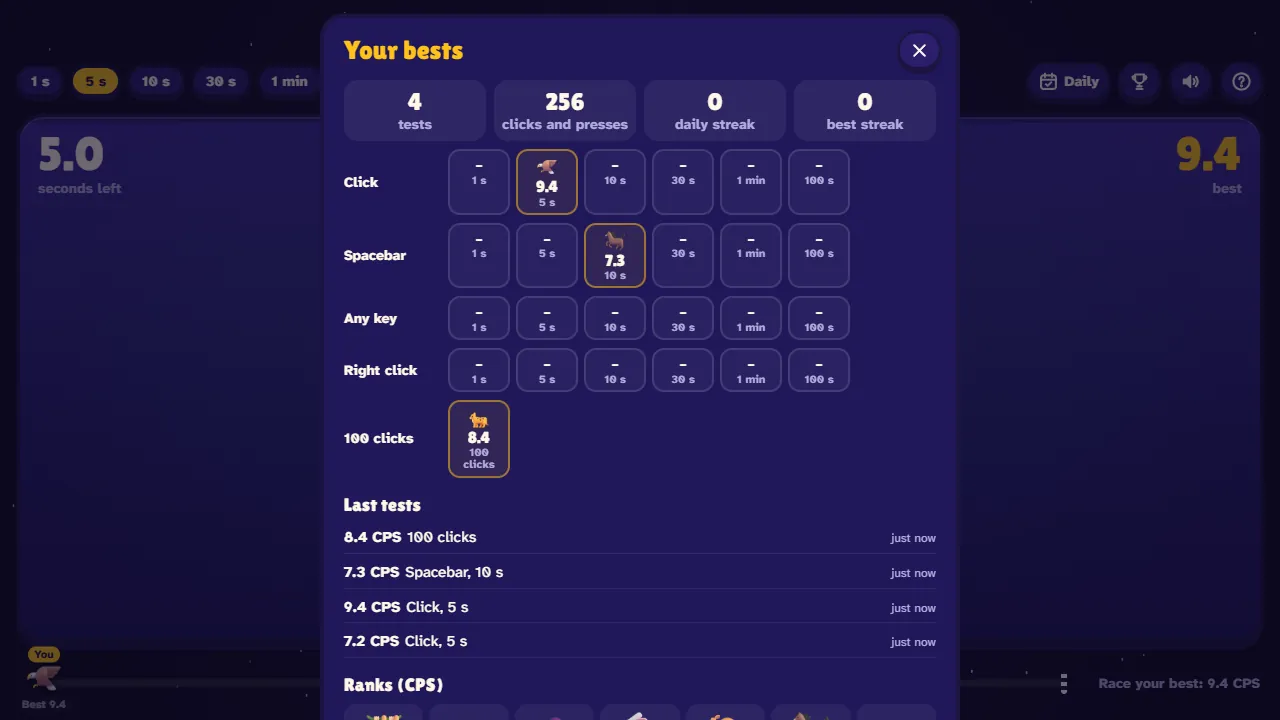
Your bests for every test and length, recent tests and the ranks from Sloth to Lightning
How to take the CPS test
- 1
Just start clicking
Click the big pad and the clock starts with your first click. Keep clicking as fast as you can. On a phone, tap.
- 2
Pick a test
Choose Click, Spacebar, Any key, Right click or 100 clicks, and a length from 1 second to 100 seconds.
- 3
Watch it heat up
The ring fills with your current speed and you race the ghost of your best run along the bar.
- 4
See your CPS
Get your clicks per second, a rank, a chart of every second and your best. Press Enter to try again.
Controls
| Input | What it does |
|---|---|
| Left click or tap | Click (the Click, 100 clicks and Tap tests); the first click starts the clock |
| Space | The Spacebar test |
| Any key | The Any key test |
| Right click | The Right click test |
| Esc | Restart the test |
| Enter or R | Try again (on the results) |
What you get
- Ready the moment the page opens: just start clicking
- Tests from 1 second to 100 seconds, and a race to 100 clicks
- Spacebar, any key and right-click tests, and taps on phones
- Your CPS, a chart of every second, your best second and steadiness
- Ranks from Sloth to Lightning
- A ghost of your best run to race
- A daily challenge with the same target for everyone, and a streak
- Challenge a friend with a link to your score
- A mouse double click and button check
- Bests and recent tests saved in your browser
How to click faster
Warm up first
Do a couple of short tests before the one that counts. Most people get faster on their second or third try.
Click from the knuckle
Rest your hand on the mouse and move only the last part of your finger. Lifting your whole finger high wastes time.
Stay loose
Squeezing the mouse makes your finger slower. Keep your wrist and shoulder relaxed, except when you try jitter clicking on purpose.
Use two fingers
Butterfly clicking with your index and middle finger on the same button can be much faster than one finger. On a phone, tap with two thumbs.
Pace long tests
On the 30-second and 1-minute tests, don't sprint the first seconds. The chart shows where you slowed down.
Take breaks
Fast clicking tires your hand quickly. A short break between tests often gives you a better score.
Frequently asked questions
What is a CPS test?
A CPS test (clicks per second test) measures how fast you can click. You click as many times as you can in a set time, such as 5 seconds, and your CPS is the number of clicks divided by the seconds.
What is a good CPS?
On a 5-second test, 5 to 8 CPS is a solid, normal speed when you try hard, and 10 or more is fast. In a 2024 study, adults aged 50 to 70 tapped a touch screen about 5.2 times a second, and younger adults were faster (Heimhofer and others, 2024).
How is CPS calculated?
CPS = clicks ÷ seconds. Your first click starts the clock and counts. 40 clicks in 5 seconds is 8 CPS.
How can I click faster?
Warm up, keep your hand relaxed, click from the knuckle with a short movement, and try butterfly clicking (two fingers on one button) or jitter clicking. The tips above explain each one.
What's the difference between jitter clicking and butterfly clicking?
Jitter clicking uses one finger shaking fast on the button by tensing your arm. Butterfly clicking uses two fingers taking turns on the same button. Butterfly clicking is often faster, and some mice count one press as two clicks with it.
Is there a spacebar clicker test?
Yes. Pick Spacebar and press the space bar as fast as you can. Holding the key down doesn't count: press and let go each time. There's also an Any key test where every key counts.
How do I check if my mouse double clicks by itself?
Open the Double click tab and click slowly, one click at a time. Clicks that come less than 80 ms after the previous one are marked in red. If you see them while clicking slowly, your mouse switch is probably bouncing.
Why is my result "unofficial"?
More than 35 clicks inside one second with a mouse (60 on a touch screen), or clicks at perfectly even gaps, look like an auto clicker. The result still shows, but it isn't saved as your best.
Does the CPS test work on a Chromebook or a phone?
Yes. It runs in the browser on Chromebooks, laptops, tablets and phones. On a touch screen every finger that taps counts, so phone scores can be higher than mouse scores: compare like with like.
Are my scores saved?
Yes, your bests, recent tests and daily streak are saved in your browser on this device. There's no account; clearing your browser data resets them.








Comments